




PlayCounter
1 like
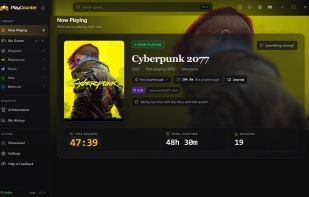
PlayCounter records how long you play, automatically. Start your games from Steam, Battle.net, Epic, a disc or an emulator: they all land in one library with one clear total each.

Cost / License
- Free
- Open Source (MIT)
Application type
Since
- Since 2026
Updated
- Updated Nov 2026
Releases
- 33 releases last year33 last year


Features
Highlights All activities
PlayCounter News & Activities
Recent activities
- GabrielDja updated PlayCounter
 GabrielDja added PlayCounter as alternative to Pyroblast
- GabrielDja liked PlayCounter
- GabrielDja added PlayCounter
 GabrielDja added PlayCounter as alternative to LastSave, Playnite, Heroic Games Launcher, GOG GALAXY and 1 more

Developed by
UnknownLicensing
Open Source (MIT) and Free product.Written in
Alternatives
6 alternatives listedBadge
Get an embeddable badge for PlayCounterSupported Languages

AlternativeTo Category
Gaming SoftwareGitHub repository
- 9 Stars
- 1 Forks
- 0 Open Issues
- Updated



No comments or reviews, maybe you want to be first?