Pixia Alternatives

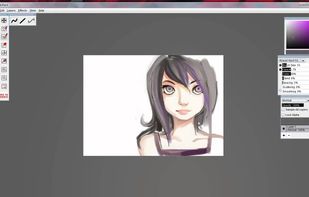
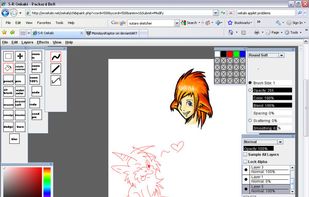
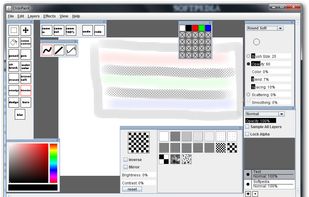
Pixia is described as 'Freeware bitmap graphics editor program for Windows, created by Isao Maruoka. It was originally designed for the anime/manga community but has also been used in other branches of art' and is a digital painting tool in the photos & graphics category. There are more than 25 alternatives to Pixia for a variety of platforms, including Windows, Mac, iPhone, iPad and Linux apps. The best Pixia alternative is Paint.NET, which is free. Other great apps like Pixia are MyPaint, Clip Studio Paint, FireAlpaca and PaintTool SAI.

Copy a direct link to this comment to your clipboard
Pixia alternatives page was last updated

Alternatives list

  1. imEditor icon
     1 like
    Copy a direct link to this comment to your clipboard

    ImEditor is a simple image editor, supporting PNG, JPEG, WEBP, BMP, and ICO file types. It offers several tools to easily modify an image.

    81 imEditor alternatives

    Cost / License

    • Free
    • Open Source

    Application type

    Platforms

    • Linux
     
  2. HeliosPaint icon
     1 like
    Copy a direct link to this comment to your clipboard

    HeliosPaint is a freeware paint program for creating and editing images. It runs on Microsoft Windows, Mac OS X, Linux and Unix and is written in Sun Microsystem's Java programming language.

    Cost / License

    • Free
    • Proprietary

    Application type

    Platforms

    • Mac
    • Windows
    • Linux
     
  3. MyBrushes icon
     22 likes
    Copy a direct link to this comment to your clipboard

    MyBrushes Paint for Mac app allows you to paint on infinite canvas and PLAYBACK whole drawing.

    Cost / License

    • Pay once
    • Proprietary

    Platforms

    • Mac
    • iPhone
    • iPad
     
  4. Copy a direct link to this comment to your clipboard

    Touch screen software – Corel Paint it! touch is touch screen software designed for Windows 7 touch-enabled computers. Draw, paint and get creative with your touch screen PC.

    Cost / License

    • Paid
    • Proprietary

    Application type

    Platforms

    • Windows
     
  5. Sketchable icon
     3 likes
    Copy a direct link to this comment to your clipboard

    Seamlessly fusing the freedom and romance of your physical notebook with the power and flexibility of the digital world, Sketchable provides the best creative experience on the market.

    Cost / License

    • Freemium (Pay once)
    • Proprietary

    Application type

    Platforms

    • Windows
     
  6. Paint Studio icon
     1 like
    Copy a direct link to this comment to your clipboard

    Paint Studio is a product born from TwistedBrush Pro Studio but with a focus on natural media painting and drawing with a simpler, streamlined interface.

    Cost / License

    • Pay once
    • Proprietary

    Application type

    Platforms

    • Windows
     
  7. Draft icon
     Like
    Copy a direct link to this comment to your clipboard

    Draft is a straightforward sketch app for iPad. You can get it in the App Store for $9.99.

    It only comes in black. You can draw in white or red.

    It automatically saves whatever you draw.

    You can share sketches via email or Campfire.

    See, there it is in Campfire. That too.

    Cost / License

    • Paid
    • Proprietary

    Application type

    Platforms

    • iPhone
     
  8. Copy a direct link to this comment to your clipboard

    Everyday drawing There are hundreds of painting and drawing apps on the App Store. This one is a bit different. It doesn’t want to grow up to be Photoshop, Illustrator, or Draw Anything the Next Generation. It’s not intended for professional artists.

    Cost / License

    • Free
    • Proprietary

    Platforms

    • Mac
     
  9. Copy a direct link to this comment to your clipboard

    With Canvas Max, not only can you sketch, illustrate, and design on an infinite canvas, but you also have the power to zoom infinitely.

    Cost / License

    • Freemium (Pay once or Subscription)
    • Proprietary

    Platforms

    • iPhone
    • iPad
     
You are at page 4 of Pixia alternatives