PixelStyle Alternatives

PixelStyle is described as 'Photo Editor for Mac is an all-in-one photo editing and graphic design software, providing professional high-quality photo processing tools to edit the photos, enhance and touch up photos on Mac OS X' and is a Image Editor in the photos & graphics category. There are more than 100 alternatives to PixelStyle for a variety of platforms, including Windows, Mac, Web-based, iPhone and Linux apps. The best PixelStyle alternative is GIMP, which is both free and Open Source. Other great apps like PixelStyle are Krita, Adobe Photoshop, Paint.NET and Affinity Photo.

Copy a direct link to this comment to your clipboard
PixelStyle alternatives page was last updated

Alternatives list

  1. Copy a direct link to this comment to your clipboard

    Oloneo® PhotoEngine™ is the only HDR and Raw processing software offering digital photographers full control over light and exposure in real-time, as if they were still behind the lens.

    Cost / License

    • Pay once
    • Proprietary

    Application types

    Platforms

    • Mac
    • Windows
     
  2. Copy a direct link to this comment to your clipboard

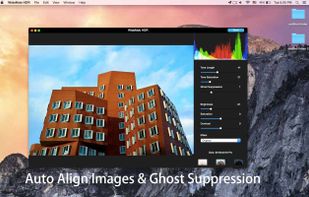
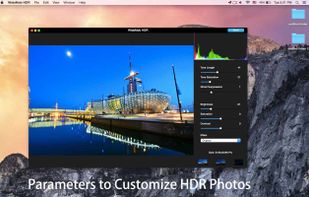
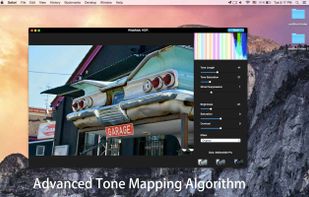
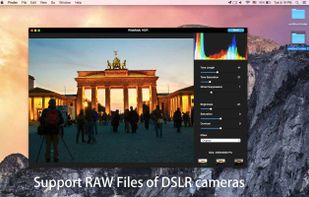
    Fhotoroom HDR is an easy to use powerful image editor that can take your JPEG's, Digital Camera RAW and High Dynamic Range photos and help you fix exposure, color, and distortion problems or quickly and easily make your photos stunning.

    Cost / License

    • Freemium
    • Proprietary

    Application types

    Platforms

    • Windows
     
  3. Autoface icon
     2 likes
    Copy a direct link to this comment to your clipboard

    One touch profile picture retouch.

    Cost / License

    • Pay once
    • Proprietary

    Application type

    Platforms

    • iPhone
     
  4. Copy a direct link to this comment to your clipboard

    Image Edit PRO for iPad 2 is powerful photo editor with native iOS interface and both (landscape and portrait) interface orientations support!

    Cost / License

    • Paid
    • Proprietary

    Platforms

    • iPad
     
  5. Photovisi icon
     3 likes
    Copy a direct link to this comment to your clipboard

    Photovisi is a free and easy to use online tool to create photo collages. Select one of the many collage templates, add your photos and then customize by dragging items around. After the collage is finished, it's available for download and print!

    Cost / License

    • Free
    • Proprietary

    Platforms

    • Online
     
  6. AliveColors icon
     1 like
    Copy a direct link to this comment to your clipboard

    AliveColors is comprehensive graphics and photo editing software for Windows and Mac. It comes in Free, Home, and Pro versions, with differing levels of functionality. Boost your creativity with AliveColors!.

    164 AliveColors alternatives

    Cost / License

    • Freemium (Pay once or Subscription)
    • Proprietary

    Platforms

    • Mac
    • Windows
     
  7. Sketchable icon
     3 likes
    Copy a direct link to this comment to your clipboard

    Seamlessly fusing the freedom and romance of your physical notebook with the power and flexibility of the digital world, Sketchable provides the best creative experience on the market.

    Cost / License

    • Freemium (Pay once)
    • Proprietary

    Application type

    Platforms

    • Windows
     
  8. Copy a direct link to this comment to your clipboard

    Photo Eraser is an easy-to-use image editor to remove unwanted objects from your photo, such as date stamps, watermarks, text, building or anything else.

    Cost / License

    • Paid
    • Proprietary

    Application type

    Platforms

    • Mac
    • iPhone
    • iPad
     
  9. Copy a direct link to this comment to your clipboard

    Remove people, objects, text, signs, logos, shade. InPixio Photo Eraser for PC is simple and easy to use. Includes clone tool to remove any blemishes.

    Cost / License

    • Pay once
    • Proprietary

    Platforms

    • Mac
    • Windows
     
  10. Copy a direct link to this comment to your clipboard

    Everyday drawing There are hundreds of painting and drawing apps on the App Store. This one is a bit different. It doesn’t want to grow up to be Photoshop, Illustrator, or Draw Anything the Next Generation. It’s not intended for professional artists.

    Cost / License

    • Free
    • Proprietary

    Platforms

    • Mac
     
  11. Copy a direct link to this comment to your clipboard

    Fine-tune, watermark, resize, rotate, crop, convert and apply artistic effects to your photos using Image Plus. If you have photos on your Mac that need to be adjusted and watermarked then you are in luck.

    Cost / License

    • Pay once
    • Proprietary

    Application types

    Platforms

    • Mac
     
You are at page 12 of PixelStyle alternatives