


PeaZip
PeaZip is free file archiver utility, based on Open Source technologies of 7-Zip, p7zip, FreeArc, PAQ, and PEA projects, for Linux, macOS and Windows.

Cost / License
- Free
- Open Source (LGPL-3.0)
Application typeApplication types
 EU
EUPlatforms
- Mac
- Windows
- Linux
- Chrome OS
- BSD
- Flathub
- PortableApps.com


Features

PeaZip News & Activities
Recent News
- POX published news article about PeaZip
 PeaZip 11.2 adds .ZIM archive support and improves drag-and-drop & keyboard shortcuts
PeaZip 11.2 is now available as the latest version of this open source and cross-platform file mana...
- POX published news article about PeaZip
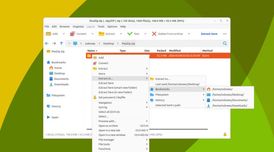 File archiver PeaZip 11.1 refines extraction menus, updates backends, and boosts security
PeaZip 11.1 is now available, bringing a series of usability enhancements and technical updates to ...
- POX published news article about PeaZip
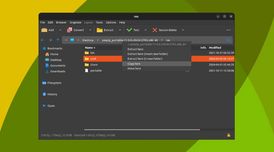 PeaZip 11.0 boosts archive browsing, upgrades drag and drop & enhances fractional scaling
PeaZip 11.0 brings several user-focused improvements for those using this open-source file manager ...


Recent activities



Featured in Lists

After a fresh Windows installation, new users might get frustrated by the weakness of the default Microsoft apps. So,...

This guide is designed for anyone looking to take greater control of their digital life by choosing open-source...

## THIS LIST HAS BEEN DELETED DUE TO A BUG, SO IT MISSES SOME HONORABLE MENTIONS ! I've been using Linux for a...
What is PeaZip?

PeaZip information
Developed by
 PeaZip srl
 Licensing
Open Source (LGPL-3.0) and Free product.Rating
Average rating of 3.9Alternatives
104 alternatives listedNews
17 news article related to PeaZipBadge
Get an embeddable badge for PeaZipSupported Languages
AlternativeTo Categories
File Management, Security & Privacy, OS & UtilitiesGitHub repository
- 7,846 Stars
- 403 Forks
- 17 Open Issues
- Updated


Comments and Reviews
PeaZip is 7-Zip with a nice user interface. Not more, not less. It's not only better looking, the whole interface seems to be more thought through. I see no reason why you would not prefer this to 7-Zip. I also see no reason why you would ever want to use WinRAR nowadays.
Edit: After some time of using PeaZip, I find the user interface quite laggy from time to time. I think I will go back to 7-Zip...
Laggy? What are you using, an Amiga?
On Linux: No drag & drop to desktop and no multiple selection by mouse, like in Dune 2? In 2024? At this point it's better to use a command line.
Not true.
Sorry, I should have specified that I meant on Linux. The developers themselves say so ( https://www.reddit.com/r/PeaZip/comments/19arb43/drag_n_drop_doesnt_work_on_linux/ ) and at version 10.2.0 it is still like that.
Over all a nice program that works on Windows and Linux. Only thing I would want to see is PowerArchiver's .PA support - I would pay for it. Since they don't make a Linux edition.
I used to evade this software years ago for its simplicity. I wanted something more complex like WinRar. The previous one I tried was Bandizip, but since then I've switched to this one completely. It has all the functions and integrations necessary. I can set ip up to pack and unpack from the context menu, with fine-tuning. The UI is smooth with a pleasant color palette. It can also compress a queue of archives deleting original files automatically, which saves a lot of time. Not doing this one-by-one.
Looks good, but it takes 2,6 GB to install. A bit too much for file archiver...
Modern and powerful . It's perfect
Have had zero issues extracting large ZIPs ranging from 10-15GB with no issues that Linux Mint's default ZIP extraction can't do.