PDFill Alternatives

PDFill is described as 'With PDFill you can create, fill, delete and submit PDF form fields; insert new formatted text, check, image, hyperlink, whiteout, highlight, drawing, comment and annotation anywhere in the document; save, print or email the filled and password-protected PDF; save and resume' and is a PDF Editor in the office & productivity category. There are more than 100 alternatives to PDFill for a variety of platforms, including Windows, Web-based, Mac, Linux and Android apps. The best PDFill alternative is DottedSign, which is free. Other great apps like PDFill are PDF Arranger, PDF-XChange Editor, Stirling PDF and PDF24 Creator.

Copy a direct link to this comment to your clipboard
PDFill alternatives page was last updated

Alternatives list

  1. PDFEquips icon
     1 like

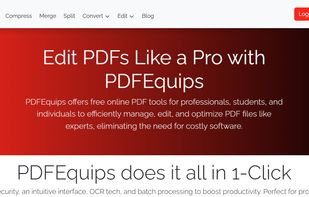
    a web-based platform that allows you to perform various operations on PDF files, such as conversion, merging, splitting, and more. It works by allowing you to upload your files, select the desired operation, and then download the processed file.

    Cost / License

    • Freemium
    • Proprietary

    Application type

    Platforms

    • Online
     
  2. Cisdem PDFToolkit for Mac facilitates you by putting commonly used PDF Merger, PDF spliter, PDF compressor, PDF image extractor and PDF text extractor just a click away. All functions are well designed and easy to use, perfect for your work or study.

    Cost / License

    • Freemium
    • Proprietary

    Platforms

    • Mac
     
  3. Apowersoft PDF Converter is a one-stop PDF tool, which not only contains tools to converting PDF file to other formats, but can also convert other formats to PDF, even more, it can merge PDF, split PDF, extract images, OCR, encrypt/decrypt PDF, etc.

    103 Apowersoft PDF Converter alternatives

    Cost / License

    • Paid
    • Proprietary

    Platforms

    • Windows
     
  4. Docs.Zone icon
     4 likes

    Through the use of a Docs.Zone web tool, you can enjoy the benefits of converting numerous types of documents into other file formats within minutes. It is not only quick and easy to use, but it provides high quality prints through a converter that provides them with ease.

    Cost / License

    • Freemium
    • Proprietary

    Platforms

    • Online
     
  5. AceThinker PDF Writer gives you enhanced experience on editing PDF contents, collating pages, protecting documents and more. Within just a few clicks, you could quickly access any of your PDF files and perform nice revision without learning curve.

    16 PDF Writer alternatives

    Cost / License

    • Paid
    • Proprietary

    Platforms

    • Windows
     
  6. PDFescape icon
     17 likes

    PDFescape is your free, online PDF reader, editor, form filler, & form designer. Without required downloads or installations! Without watermarks! Without required registration!

    Cost / License

    • Freemium
    • Proprietary

    Application types

    Platforms

    • Windows
    • Online
     
  7. VeryPDF PDF Editor is an easy-to-use application designed for users familiar with Microsoft Office and similar applications. VeryPDF PDF Editor provides tools to enable you freely write your own comments to the PDF document and share the comments with others.

    Cost / License

    • Paid
    • Proprietary

    Application type

    Platforms

    • Windows
     
  8. The basic service that aims to help you work better and faster with PDF files, so you can get on with the important things.

    Cost / License

    • Free
    • Proprietary

    Application types

    Platforms

    • Online
    • Software as a Service (SaaS)
     
  9. pdfMachine is simple and fast, with no complicated options and is a native Windows print driver. If you know how to print from an application then you can use pdfMachine!

    Cost / License

    • Paid
    • Proprietary

    Platforms

    • Windows
     
  10. PDF Shaper icon
     9 likes

    PDF Shaper makes it easy to tailor the content of PDF files. Users can split PDF files into smaller PDFs, extract or delete individual pages, and encrypt and decrypt files. It's just as simple to merge multiple PDF files into a larger file.

    Cost / License

    • Freemium
    • Proprietary

    Platforms

    • Windows
     
  11. AXPDF Scan to PDF Converter scan your paper documents into PDF format quickly, accurately and directly. In addition, you can import existing images and combine all the image files into a single PDF. Create PDF from scanned files and images is as easily as clicking buttons.

    Cost / License

    • Paid
    • Proprietary

    Application type

    Platforms

    • Windows
     
You are at page 4 of PDFill alternatives