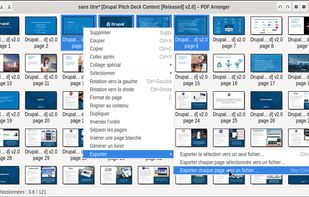
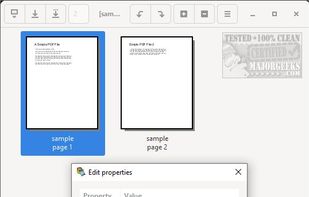
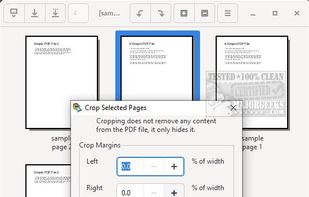
Small python-gtk application, which helps the user to merge or split pdf documents and rotate, crop and rearrange their pages using an interactive and intuitive graphical interface.


The best PDF Reader alternative to PDF-XChange Editor is PDF Arranger, which is both free and Open Source. If that doesn't suit you, our users have ranked more than 100 alternatives to PDF-XChange Editor and loads of them are PDF Readers so hopefully you can find a suitable replacement. Other interesting PDF Reader alternatives to PDF-XChange Editor are PDFgear, PDF24 Creator, Adobe Acrobat DC and Master PDF Editor.
Small python-gtk application, which helps the user to merge or split pdf documents and rotate, crop and rearrange their pages using an interactive and intuitive graphical interface.


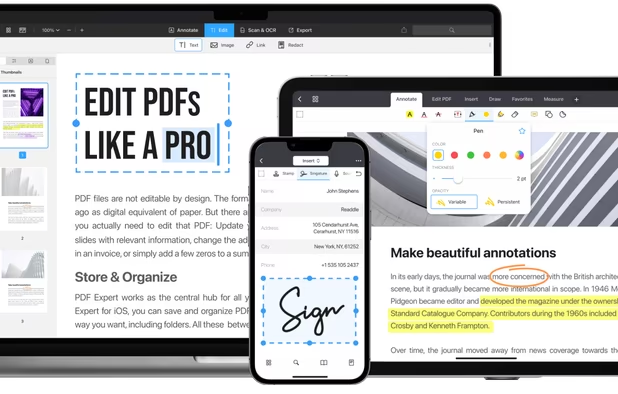
Read, edit, convert, merge, and sign PDF files across devices, for completely free and without signing up.


PDF24 Creator is free and feature-filled PDF creation, merging and conversion tool for Windows. Its unique feature among the free PDF printer tools is an editor, which allows to easily assemble, create and modify PDF files with Drag & Drop.


PDF24 basically just lets you "draw over" a PDF. It doesn't let you edit the existing content or add anything more sophisticated than some text or a few doodles.


Manage documents effortlessly, edit PDFs, create them from other formats, and e-sign anywhere. Secure sharing and comparison tools ensure smooth workflows and data protection. New AI Assistant offers quick document insights. Perfect for desktop and web platforms.


PDF file type is created by Adobe

Master PDF Editor is complete solution for editing PDF and XPS files. You can insert, edit, remove, copy, add images or graphics. Export, import, remove and change page layouts. Also Master PDF Editor provides full functionality for changing PDF information, including author...


Master PDF editor can edit PDF content like PDF X-Change Editor can


Xodo is the ultimate cross-platform PDF viewer and annotator. Powerful, fast, and optimized for all phones and tablets, Xodo makes it easy to access, edit, share, sync, manage, sign, and more.


All annotation features are present, including a wonderful ability to rotate a single page inside a document. Can bookmark. However, those changes are not visible in other viewers, only in Xodo.
Used Xodo for 10 min, it is divine! Better than my desktop editor. I drew, added text, removed rotated and added blank pages. You need to make a copy for it to save properly.


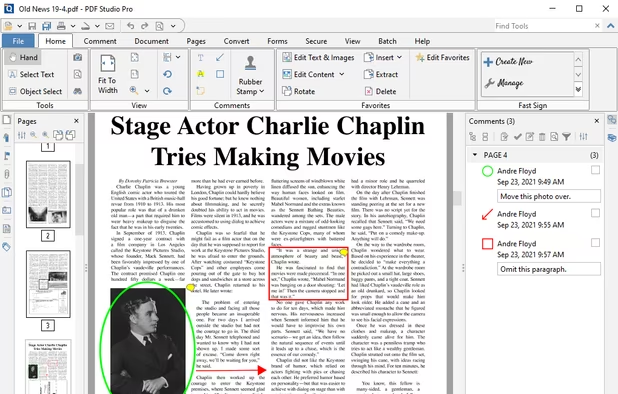
Create, Convert, Review and Edit PDF Documents on Windows, macOS, and Linux.


PDF viewer for macOS supports scientific papers, annotations, highlights, bookmarks, split view, exporting notes, AppleScript, multiple annotation types, bibliography integration, full-screen, search, and compatibility with various macOS versions.

Nitro offers comprehensive PDF solutions for editing, creating, and converting, alongside OCR and e-signature tools. Supports Mac, Windows, and iOS, providing a user-friendly interface with industry-standard security features. Ideal as an Adobe Acrobat alternative.


JOPDF is a 100% free PDF editor for Windows, Mac, and Linux. Edit, compress, merge, convert and annotate PDFs with no watermark or signup required.


Read, annotate, and highlight PDFs, fill interactive forms with saved input, underline or strike through text, manage bookmarks, sync files from cloud services, and share documents. Compatible with Preview and Adobe Acrobat annotations, supporting extensive iOS features.


Comprehensive suite offering eSign, OCR, multi-platform editing, cloud integration, and robust security. Ideal for professional or personal use, facilitating collaboration while protecting content.


Suspected to be spyware/malware. Company and owners behind the software is not clearly identifyable. Suspected to be Russian and/or Chinese spyware.