





Pathly
2 likes
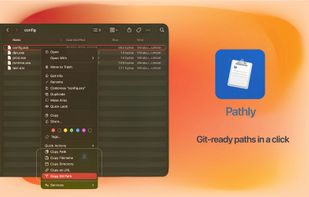
One right-click in Finder to instantly copy full path, folder path, Git relative path, URL and more — no more Option key tricks.

Cost / License
- Pay once
- Proprietary
Application type
Platforms
- Mac


Features

Pathly News & Activities
Highlights All activities
Recent activities
- Ben liked Pathly
 Paul added Pathly as alternative to PowerClick
- ZuraGuerra updated Pathly
- ZuraGuerra added Pathly
- ZuraGuerra liked Pathly
 ZuraGuerra added Pathly as alternative to Path Finder, Total Commander, Finder, Better Explorer and 10 more


Pathly information
Developed by
SophinautaLicensing
Proprietary and Commercial product.Pricing
One time purchase (perpetual license) ranging between $4 and $5.Alternatives
16 alternatives listedBadge
Get an embeddable badge for PathlySupported Languages


No comments or reviews, maybe you want to be first?