
OtterZip icon
OtterZip icon

OtterZip

 1 like

The quiet, open-source archive tool for Windows: right-click to compress or extract, with no ads, no accounts and no tracking.
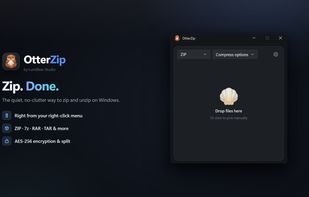
Main window: drop files anywhere to compress or extract

Cost / License

Application type

Since

  • New

Updated

  • Updated Oct 2026

Releases

  • 6 releases last year6 last year

Platforms

  • Windows
1like
0articles
Save

Features

Properties

Features

Highlights All activities

OtterZip News & Activities

Recent activities

OtterZip information

AlternativeTo Categories

File Management, Security & Privacy, OS & Utilities

GitHub repository

  •  15 Stars
  •  1 Forks
  •  0 Open Issues
  •   Updated  
View on GitHub

Popular alternatives

View all
OtterZip was added to AlternativeTo by Jinkyu-Kang on and this page was last updated .

No comments or reviews, maybe you want to be first?

What is OtterZip?

OtterZip is a modern archive utility for Windows, built from scratch with a Rust engine and a native C#/WinUI 3 interface. It's designed to stay out of your way: right-click a file to zip it, right-click an archive to extract it, and you barely need to open the app.

  • Works from Explorer: compress and extract straight from the right-click menu.
  • Wide format support: creates ZIP, 7z, TAR and TAR.GZ, and extracts ZIP, 7z, RAR, TAR, GZ, BZ2, XZ, ZST, LZ4, ISO, CAB, JAR, APK, IPA and more.
  • AES-256 encryption and split (multi-volume) archives when you need them.
  • Zip-bomb protection: a three-layer guard stops malicious archives before they fill your disk.
  • Native and fast: a real Windows interface, not a web page in a window. Light/dark themes and 10 built-in languages.
  • Privacy first: no ads, no accounts, no tracking, no bundled software. Crash reports are opt-in and off by default.

Free and open source (GPL-3.0). Available on the Microsoft Store or as a direct download from GitHub.