Open3D Viewer icon
Open3D Viewer icon

Open3D Viewer

Open3D Viewer is the fastest free 3D model viewer for STL, GLB, OBJ, FBX, STEP, DXF, USDZ, PLY, 3MF, GLTF, IGES, DAE and 3DS files. Open any 3D file in seconds, view it in AR with Apple Quick Look, and check it for 3D printing — no account, no sign-up, no cloud upload.

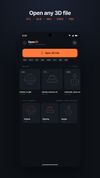
Open3D Viewer screenshot 1

Cost / License

  • Free
  • Proprietary

Platforms

  • Windows
  • Online
  • Android
  • iPhone
  • Android Tablet
  • iPad
0likes
0comments
0articles

Open3D Viewer News & Activities

Highlights All activities

Recent activities

Open3D Viewer information

  • Developed by

    Rajesh Konatala
  • Licensing

    Proprietary and Free product.
  • Alternatives

    9 alternatives listed
  • Supported Languages

    • English

Popular alternatives

View all
Open3D Viewer was added to AlternativeTo by Rajesh on and this page was last updated .
No comments or reviews, maybe you want to be first?

What is Open3D Viewer?

Open3D Viewer is the fastest free 3D model viewer for STL, GLB, OBJ, FBX, STEP, DXF, USDZ, PLY, 3MF, GLTF, IGES, DAE and 3DS files. Open any 3D file in seconds, view it in AR with Apple Quick Look, and check it for 3D printing — no account, no sign-up, no cloud upload. Your files never leave your iPhone or iPad.

Whether you're a 3D-printing hobbyist checking an STL before slicing, a 3D artist previewing a GLB or FBX, or a CAD user opening a STEP or DXF, Open3D Viewer opens it instantly — without the paywalls and login screens other 3D viewers force on you.

SUPPORTED 3D FILE FORMATS • Mesh: STL, GLB, GLTF, OBJ, PLY, 3MF, FBX, DAE, 3DS, USDZ • CAD: STEP / STP, IGES / IGS, DXF

A 3D VIEWER THAT DOES THE BASICS RIGHT • Open files from Files, email, downloads, or any "Open with" menu • Smooth orbit, pan and zoom touch controls • Render modes: solid, wireframe, X-ray, textured, matte • Wireframe overlay — see the geometry on top of the rendered surface • Preset camera views (front, side, top, perspective) • Light and dark themes • 5 background colours + 6 HDRI lighting environments (studio, sunset, dawn, dusk, dark, white) • Play built-in animations • View 3D models in AR via Apple Quick Look (USDZ) • Capture a screenshot or a rotating GIF and share it • Recent files with auto-generated thumbnails • Full model specs: triangle count, vertices, materials, textures, bounding box

BUILT FOR 3D PRINTING • Print-readiness check: manifold / watertight detection, overhangs, wall thickness • Bed-fit check for popular printers (Bambu A1, Prusa MK4, Ender 3, Bambu X1C) • Rough weight, filament length and cost estimates • Measure distances on the model • Cross-section / clipping plane to inspect interiors • Scale and resize tool • Convert and export between GLB and STL

LOCALIZED The interface automatically follows your device language. Currently available in English, German, Spanish, French, Portuguese, Hindi, Japanese, and Chinese.

NO ACCOUNT. NO CLOUD. NO NONSENSE. • No sign-up, ever • 100% on-device. Works offline. • We never read, scan, or upload your files • We don't track which files you open

The STL viewer and GLB viewer that makers, 3D artists and engineers actually want: clean, fast, and local.

Measurements and print-readiness figures are estimates, not a replacement for a slicer or proper measuring tools. See the in-app Disclaimer.

Open3D Viewer is an independent app and is not affiliated with the Open3D open-source library at open3d.org. All trademarks belong to their respective owners.

Official Links