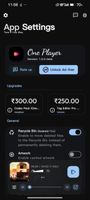
One Player icon
One Player icon

One Player

 Like

One Player is a native video and music player written in Kotlin and jetpack compose. It provides a simple and easy-to-use interface for users to play videos/audios on their Android devices.

One Player screenshot 1
One Player screenshot 2
+5
One Player screenshot 3

Cost / License

Application type

Since

  • New

GitHub

  • GitHub stars: 93

Platforms

  • Android
  • F-Droid
0likes
0articles
Save

Features

Properties

Features

Highlights All activities

One Player News & Activities

Recent activities

One Player information

AlternativeTo Category

Video & Movies

GitHub repository

  •  93 Stars
  •  8 Forks
  •  9 Open Issues
  •   Updated  
View on GitHub
One Player was added to AlternativeTo by Paul on and this page was last updated .

No comments or reviews, maybe you want to be first?

What is One Player?

One Player is a native video and music player written in Kotlin and jetpack compose. It provides a simple and easy-to-use interface for users to play videos/audios on their Android devices.
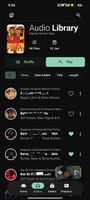
Supported formats:

  • Audio: Vorbis, Opus, FLAC, ALAC, PCM/WAVE (μ-law, A-law), MP1, MP2, MP3, AMR (NB, WB), AAC (LC, ELD, HE; xHE on Android 9+), AC-3, E-AC-3, DTS, DTS-HD, TrueHD
  • Video: H.263, H.264 AVC (Baseline Profile; Main Profile on Android 6+), H.265 HEVC, MPEG-4 SP, VP8, VP9, AV1
  • Streaming: DASH, HLS, RTSP
  • Subtitles: SRT, SSA, ASS, TTML, VTT

Key features:

  • Native Android app with simple and easy-to-use interface
  • Completely free and open source and without any ads or excessive permissions
  • Material 3 (you) support
  • Audio/Subtitle track selection
  • Vertical swipe to change brightness (left) / volume (right)
  • Horizontal swipe to seek through video
  • Media picker with tree, folder and file view modes
  • Playback speed control
  • Controls lock
  • No ads, tracking or excessive permissions
  • Bookmark – The player auto-bookmarks the media you are playing.
  • URL Playing – Enter URL to play any video on the web (streaming).
  • Equalizer – Powerful equalizer to enjoy high quality audio.
  • Background play – Listen to your favourite video and audios in background
  • Refresh – Auto-refreshes (scans) & manage media (audio/video) from local storage.
  • Playlists – Create and manage Playlists for your audios and videos.
  • Night Mode – Supports auto, Light and dark modes as well.
  • Lightweight (<5MB) yet powerful
  • Battery‑friendly for long playback sessions
  • Background Playback allows you to play videos in background.
  • More – Sleep Timer, Playback Speed, Repeat Mode, Shuffle etc.