
OmniCam icon
OmniCam icon

OmniCam

Use your phone as a webcam on Windows — a virtual camera fed by your phone's browser over your own Wi-Fi. Nothing to install on the phone, nothing leaves your network.
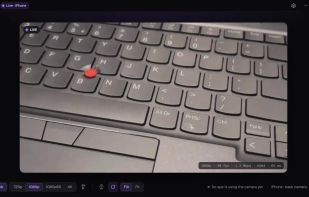
Desktop Live

Cost / License

  • Free
  • Open Source (MIT)

Platforms

  • Windows  Windows 10/11, 64-bit. Works in DirectShow apps (Discord, Zoom, Meet, OBS, Chrome); not yet in the Windows Camera app or the new Microsoft Teams.
1like
0articles
Save

Features

  1.  Streaming
  2.  Virtual Webcam
  3.  WebRTC
  4.  Webcam recording

OmniCam News & Activities

Highlights All activities

Recent activities

OmniCam information

AlternativeTo Category

Video & Movies

GitHub repository

  •  44 Stars
  •  6 Forks
  •  0 Open Issues
  •   Updated  
View on GitHub
OmniCam was added to AlternativeTo by Orest on and this page was last updated .

No comments or reviews, maybe you want to be first?

Official Links

What is OmniCam?

OmniCam turns your phone into a webcam for your Windows PC. Install OmniCam on the PC, scan the QR code with your phone, tap Start camera, and a camera named "OmniCam" appears in Discord, Zoom, Google Meet, Chrome, OBS and any other app that lists webcams. There is no app to install on the phone: it runs in Safari on iPhone or Chrome on Android.

Video goes peer-to-peer from the phone to the PC over your own Wi-Fi using WebRTC, encoded by the phone's hardware H.264 encoder. There are no relay servers, no account and no telemetry.

Features:

  • 720p, 720p60, 1080p or 4K capture
  • Front and back camera, torch, mirror, rotate, Fill or Fit, controlled from the PC or the phone
  • Output resolution up to 4K for your apps
  • Runs from the system tray; closing the window keeps the camera live
  • Drops to 5 fps when no app is using the camera, to save the phone's battery
  • Light and dark theme, start with Windows, optional update check

Free and open source under the MIT license. Every installer is built by public CI from tagged source.

OmniCam Videos