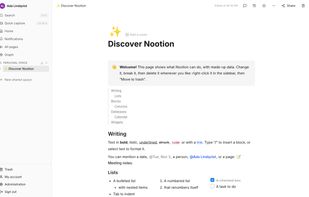
Why Nootion? Most workspace apps are closed cloud services: your notes live on their servers, under their terms and prices. The open-source ones you can host yourself are often built for wikis only. Nootion brings the two together: the freedom of an open-source app you host yourself, and the databases that make a workspace really useful.
Your data stays at home. One container and one data folder (a SQLite file and your attached files): backing up Nootion is copying a folder. No telemetry, no external service needed.
Real databases. Typed columns, relations in both directions, rollups, formulas, filters, sorts, groups and calculations, table, board, list, gallery, calendar and timeline views, embedded in any page. Enough to run invoices, projects, a reading list or a CRM.
Move in without losing anything. Import from other tools (through their API, or from Markdown, HTML, Word and CSV files): pages, databases, relations, rollups, formulas, files and links between pages come along.
Write together. Real-time collaborative editing, comments and @mentions, shared spaces with roles, groups, guests from outside, and public links with an optional password and end date, every access checked on the server.
On the phone and the desktop, even offline. Installs as an app on phones; a desktop app for Windows, macOS and Linux keeps whole spaces on the computer. Pages stay readable and editable offline and sync when the connection comes back, merged with others' changes.
Yours to extend. Plugins add editor blocks, database column types, entries in the selection menu, API routes, scheduled tasks and formula functions. An optional AI assistant works with your own key or a model on your network.



 EU






 Boris T.



No comments or reviews, maybe you want to be first?