Notes as Markdown files, edited in the browser, with a graph you can zoom into. Self-hosted, for yourself or a small team, and friendly to Obsidian: the files on disk stay the truth, and Obsidian, Syncthing or any editor may work on the same folder at the same time.
nexlore is one of the nex apps and looks like them: turquoise, dark and light.
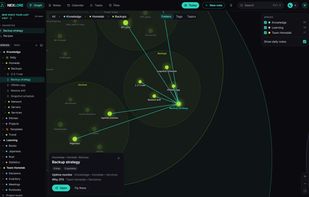
The graph. Folders are bubbles; zoom in and they open to show their notes and the links between them. It is drawn with WebGL and stays smooth with 100,000 notes. Folders, tags or topics found in the text, at the switch on top.
Reading: properties, callouts, tables, tasks, highlights and parts of other notes embedded, the way Obsidian shows them. Recent notes and favorites on top of the sidebar; on the right the backlinks and every link of the note, next to the outline, comments, the local graph and the versions.
Editing: a visual editor with a toolbar like a word processor's, the front matter as a table of properties, and "/" to insert. Only the blocks you touch are written back; the rest of the file stays byte for byte as it was.
Tasks from every note in the format of the Obsidian Tasks plugin, by due date or by note. Ticking one off writes that one line and nothing else. Next to it: a calendar with the daily notes, and a daily note one key away.
Light and dark, two notes side by side, and on the phone as an installable web app. Spaces for a team, with links from one space into another that only resolve for people who may read both.









No comments or reviews, maybe you want to be first?