




NeverTyping
Like
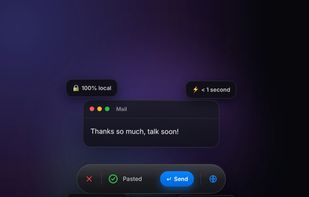
Private, on-device voice dictation for Mac - hold a key, speak, and clean text appears in any app. 100% offline, no subscription required.

Cost / License
- Paid
- Proprietary
Application type
Platforms
- Mac

Features
NeverTyping News & Activities
Highlights All activities
Recent activities
 Danilo Venom added NeverTyping as alternative to MeetLive
 Sergej-Nawalnew added NeverTyping as alternative to Hallig
 NeverTyping added NeverTyping as alternative to Wispr Flow
 steve-psyt added NeverTyping as alternative to Hushbird
 Mauricio B. Holguin added NeverTyping as alternative to Vibe Transcribe, Voxtral, OpenWhispr, TypeWhisper and 45 more
- Mauricio B. Holguin updated NeverTyping
 NeverTyping added NeverTyping as alternative to Superwhisper and MacWhisper
- NeverTyping added NeverTyping


NeverTyping information
Licensing
Proprietary and Commercial product.Alternatives
55 alternatives listedBadge
Get an embeddable badge for NeverTypingSupported Languages


No comments or reviews, maybe you want to be first?