NetworkSketch icon
NetworkSketch icon

NetworkSketch

 Like

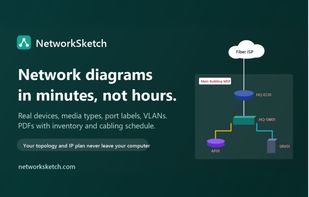
Browser-based editor for physical and logical network diagrams: document devices with IPs, models and serials; draw port-aware, media-coded links; group sites, racks and VLANs; find IP and port conflicts; auto-arrange pages; and export documentation PDFs locally.
NetworkSketch screenshot 1

Cost / License

  • Subscription
  • Proprietary

Application type

Since

  • New

Platforms

  • Online
  • Software as a Service (SaaS)
0likes
0articles
Save

Features

Highlights All activities

NetworkSketch News & Activities

Recent activities

NetworkSketch information

  • Developed by

    Unknown
  • Licensing

    Proprietary and Commercial product.
  • Pricing

    Subscription ranging between $9 and $15 per month.
  • Alternatives

    18 alternatives listed
  • Badge

    Get an embeddable badge for NetworkSketch
  • Supported Languages

    • English

AlternativeTo Category

Business & Commerce
NetworkSketch was added to AlternativeTo by blawsquared on and this page was last updated .

No comments or reviews, maybe you want to be first?

Official Links

What is NetworkSketch?

NetworkSketch is network diagram and documentation software for network engineers, IT teams and MSPs. It runs in the browser with nothing to install.

Devices carry real fields: hostname, management IP, model, serial number, MAC address and location. Cables are links with ports at each end, a media type (copper, single-mode or multi-mode fiber, DAC, wireless, WAN), speed and VLANs. Cables are color-coded by media type, and the Media Type Key fills itself in. Buildings, rooms, racks, zones and VLANs are areas that hold their devices and carry subnets.

A network check flags duplicate IP addresses (IPv4 and IPv6, across pages), addresses outside their subnet, interfaces used by two cables, bad MAC addresses and loose ends. One click auto-arranges the page. The PDF export includes an engineering title block, device inventory, cabling schedule, VLAN/subnet table, change log and a "verified against the network" stamp, which suits as-built handovers and compliance documentation. Devices can be imported from a spreadsheet, from SolarWinds Orion exports or from Cisco, Arista, Juniper, Aruba and HPE CLI output.

Diagrams are never uploaded: they are saved as plain, documented JSON files on the user's own computer. Templates cover campus and branch offices, SD-WAN, voice, MSP client sites, PCI cardholder data segments, data center rack rows and a CCNA lab. A subscription also includes CallSketch for call flow and IVR diagrams.

NetworkSketch Videos