





NanoClip
1 like
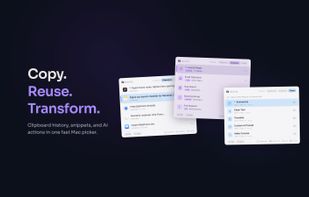
NanoClip is a fast, minimal Mac clipboard utility that combines clipboard history, snippets, and automation flows in one lightweight menu bar app.

Cost / License
- Freemium (Pay once)
- Proprietary
Application type
Platforms
- Mac


Features
NanoClip News & Activities
Highlights All activities
Recent News
No news, maybe you know any news worth sharing?
Share a News Tip
Recent activities
 vivenario added NanoClip as alternative to ClipboardMenu
 jerlendds added NanoClip as alternative to everclip CLI
- Paul added NanoClip as alternative to Clippy for macOS
- Paul added NanoClip as alternative to Clipped for macOS
 akshaynikhare added NanoClip as alternative to RealtimeClipboard
 Paul added NanoClip as alternative to SmartClipboard


NanoClip information
Developed by
 Digital Toys LLC
 Licensing
Proprietary and Freemium product.Pricing
One time purchase (perpetual license) that costs up to $10 + free version with limited functionality.Alternatives
63 alternatives listedBadge
Get an embeddable badge for NanoClipSupported Languages


No comments or reviews, maybe you want to be first?