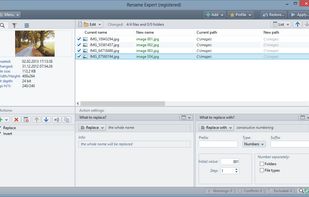
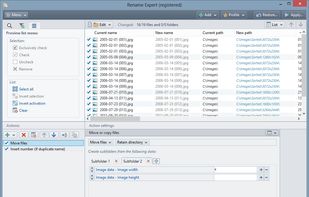
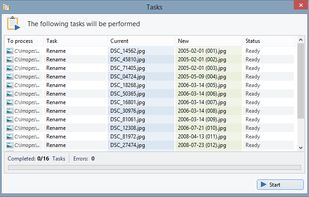
File Renamer - Rename Files. Free utility to rename files easily. Now includes Thumbnail support. Use this utility to preview your pictures before renaming

NameChanger is described as 'Is designed for the sole purpose of renaming a list of files' and is a File Renamer in the file management category. There are more than 50 alternatives to NameChanger for a variety of platforms, including Windows, Mac, Linux, BSD and Web-based apps. The best NameChanger alternative is Bulk Rename Utility. It's not free, so if you're looking for a free alternative, you could try Bulk Rename Utility or Ant Renamer. Other great apps like NameChanger are ReNamer, Keep It Shot, Rename X Pro and ScreenshotMagic.
File Renamer - Rename Files. Free utility to rename files easily. Now includes Thumbnail support. Use this utility to preview your pictures before renaming

An easy and effective batch file rename tool. Rename multiple files at once using a wide range of tools.


WildRename is a multi-file renaming application with simple user interface helps you build and perform many file renaming operations one-by-one or in batches.


A file renamer which renames many files at once. Has Undo, you can preview changes instantly & use STAR TREK stardate/startime.


FileWrangler's speed is back to the gold old days; 2.5 GB of data, composed of 11,000 files nested 8 subfolders deep can be renamed in under 30 seconds on a PowerBook.


Helps you rename a batch of files and folders with all kinds of customizable and flexible renaming rules. Especially, rename MP3 files with ID3 Tags and rename photos using EXIF data. it can batch convert and edit your photos, even encrypt your file or folder names with RC4 or...


File Renamer Turbo is a cutting edge file renaming tool that will make your life easier. If you need to rename multiple files, folders or set the ID3 tags of MP3 files or the tags of WMA, M4A, OGG, FLAC, APE and MPC files, this program will do the job quickly.


Rename multiple files according to a pattern you specify. Modify original file name by removing/copying its parts, replacing text, or changing letter case. Use dynamic elements like file properties, hashes, MP3 ID3 and EXIF tags, random characters.


Run Renamer.exe to add a shortcut to the SendTo menu. Then select a set of files to be renamed in Windows Explorer, right click, select SendTo menu, and select Renamer to rename all these files.