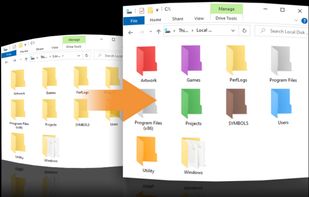
Coloring your Windows folders can help you organize and increase your productivity. Your folders are instantly recognizable by color vs having to pause to read their text label.


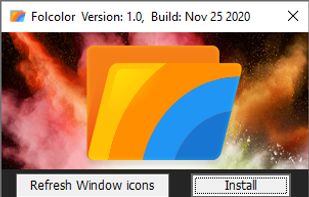
MSTech Folder Icon is described as 'Folder Icon tool that gives you everything you need to create folder icons and assign them to any folder in the easiest way' and is an app. There are seven alternatives to MSTech Folder Icon for Windows and Mac. The best MSTech Folder Icon alternative is Folcolor™, which is both free and Open Source. Other great apps like MSTech Folder Icon are Folder Colorizer, Folder Marker, Folderico and Folder Colors.
Coloring your Windows folders can help you organize and increase your productivity. Your folders are instantly recognizable by color vs having to pause to read their text label.


Windows Explorer is too boring? Color it up! Assign any color to any folder – just right-click a folder and choose “Colorize”! Supports your own colors, labels and works seamlessly with any version of Windows.

Label folders with color-coded or image-coded icons to indicate status, priority, project completion, or content type, using two-click assignment for efficient visual organization, bulk folder support, Windows integration, and improved work or personal file access.


Quickly change the folder icons and restore them back to the original state in one click. Folderico support ICL-files and themes from iColorFolder. It also allows you to change Windows 7 libraries icons


A lightweight Windows shell extension that lets you change folder colors and organize files directly from the right click menu.


WinSetView provides an easy way to set, change and manage the File Explorer default folder views or templates.


Set folder colors and add small icons to folders with this tool, keeping your files organized and improving efficiency in file management.