


WinSetView
6 likes
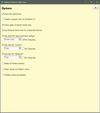
WinSetView provides an easy way to set, change and manage the File Explorer default folder views or templates.




+1

Cost / License
- Free
- Open Source (MIT)
Platforms
- Windows

Features
Highlights All activities
WinSetView News & Activities
Recent activities
 Dinesh-Solanki added WinSetView as alternative to FoliCon
- Martin-Milan liked WinSetView
 Paul added WinSetView as alternative to Flairy


Developed by
LesFerchLicensing
Open Source (MIT) and Free product.Alternatives
22 alternatives listedBadge
Get an embeddable badge for WinSetViewSupported Languages


Comments and Reviews
While tricky to initially setup & has a god-awful ugly UI, it's great for saving time editing folder views on new PCs.
Works well on Windows 11. Very helpful.