MSI Afterburner Alternatives

MSI Afterburner is described as 'Advanced tool for GPU overclocking, video capture, and screen recording. Supports Nvidia and ATI cards, includes Kombustor stress test, portable and ad-free' and is a very popular system information utility in the os & utilities category. There are more than 25 alternatives to MSI Afterburner for a variety of platforms, including Windows, Mac, Linux, Flathub and Flatpak apps. The best MSI Afterburner alternative is Open Hardware Monitor, which is both free and Open Source. Other great apps like MSI Afterburner are Nvidia App, MangoHUD, Stats and Rivatuner Statistics Server (RTSS).

filter to find the best alternatives

MSI Afterburner alternatives are mainly System Information Utilities, but if you're looking for Screenshot Capture Tools or Screen Recorders you can filter on that. Other popular filters include Linux, Mac, Windows, Fan Speed, Free, Open Source and Android. These are just examples - use the filter bar below to find more specific alternatives to MSI Afterburner.
Copy a direct link to this comment to your clipboard
MSI Afterburner alternatives page was last updated

Alternatives list

  1. EVGA Precision X1 allows you to fine tune your EVGA graphics card for the maximum performance possible, with Core/Shader/Memory clock tuning, real time monitoring support including in-game and compatibility with almost all EVGA graphics cards.

    Cost / License

    • Free
    • Proprietary

    Platforms

    • Windows
    • Steam
     
    |
    1
    EVGA Precision X1 vs MSI Afterburner Comments
    zlelmefs
    Negative
    0

    Fan control is a slider, does not support fan curves.

    • EVGA Precision X1 is Free and ProprietaryMSI Afterburner is also Free and Proprietary
  2. CapFrameX icon
     8 likes

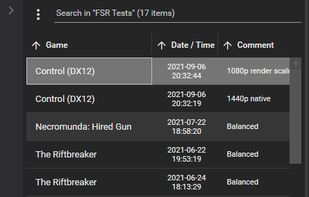
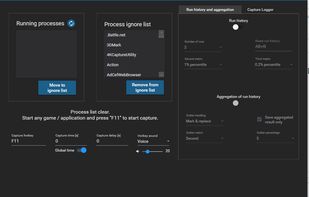
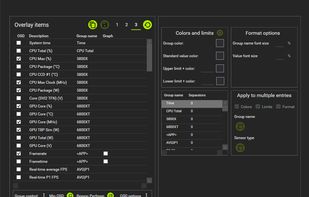
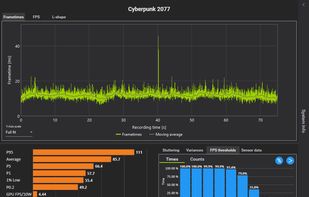
    Benchmarking Tool - Record Frames per Second (FPS), Frametime and Sensors while running your favourite game. Analyse and plot the results, or share them with friends using our cloud service.

    Cost / License

    • Free
    • Open Source

    Platforms

    • Windows
     
  3. This tool is used for modifying game profiles inside the internal driver database of the nvidia driver. All game profiles are provided by the nvidia driver, but you can add your own profiles for games missing in the driver database.

    8 NVIDIA Profile Inspector alternatives

    Cost / License

    • Free
    • Open Source (MIT)

    Application type

    Platforms

    • Windows
     
  4. NZXT CAM icon
     16 likes

    Manage performance, temperatures, and devices all from a single application. NZXT CAM is fast, efficient, and easy-to-use, allowing you to control every aspect of your computer.

    28 NZXT CAM alternatives

    Cost / License

    • Free
    • Proprietary

    Application type

    Platforms

    • Windows
     
    |
    1
    NZXT CAM vs MSI Afterburner Comments
    zlelmefs
    Negative
    0

    No fan control, most features limited only to NZXT products, has un-necessary online features

    • NZXT CAM is Free and ProprietaryMSI Afterburner is also Free and Proprietary
  5. EXPERTool icon
     3 likes

    EXPERTool™ tuning utility for customized performance enhancements and efficient desktop management.

    Cost / License

    • Free
    • Proprietary

    Application type

    Platforms

    • Windows
     
  6. A GPU overclocking tool. Low level driver access, core and memory frequency overclocking, monitor and more, SAPPHIRE TriXX is a great alternative to comparable overclocking utilities. Worth a download for novice or enthusiast overclockers.

    Cost / License

    • Free
    • Proprietary

    Platforms

    • Windows
     
  7. WattmanGTK icon
     3 likes

    A Wattman-like GTK3+ GUI. Contribute to BoukeHaarsma23/WattmanGTK development by creating an account on GitHub.

    Cost / License

    Alerts

    • Discontinued

    Platforms

    • Linux
     
  8. Nvtray icon
     2 likes

    NVTray provides some extra quality tweaks that both the default NVIDIA tray icon and control panel are lacking. I especially wanted to be able to select more Antialiasing modes, as well as OpenGL and Direct3D options right from the tray icon.

    Cost / License

    • Free
    • Proprietary

    Platforms

    • Windows
     
    |
    1
    Nvtray vs MSI Afterburner Comments
    Guest
    Negative
    0

    MSI Afterburner doesn't modify Nvidia control panel options at all such as but not limited to antialiasing, vsync & whatnot.

    Review by a new / low-activity user.
    • Nvtray is Free and ProprietaryMSI Afterburner is also Free and Proprietary
  9. Mangojuice icon
     3 likes

    This program will be a convenient alternative to Goverlay for setting up MangoHUD.

    Cost / License

    Platforms

    • Linux
    • Flathub
    • Flatpak
     
  10. VRAM Shield icon
     1 like

    Automates laptop GPU Memory Junction thermal management for intense workloads by micro-suspending CUDA and DirectX processes, monitoring VRAM sensors, enabling custom pulse-based throttling, and allowing real-time telemetry, panic triggers, and distraction-free operation.

    Cost / License

    • Freemium
    • Proprietary

    Platforms

    • Windows
     
  11. This tool is developed by Ray Adams. ATI Tray Tools is a Full Featured Radeon Tweaker that can be found in the windows tray which then allows instant access to options and settings. Quite handy and quite a small download. Just click the executable and you are good to go.

    Cost / License

    • Free
    • Proprietary

    Platforms

    • Windows
     
  12. HWRadar icon
     Like

    HWRadar is a simple lightweight and customizable hardware monitoring tool that offers real-time, detailed insights into your computer's performance. Our software can track numerous hardware parameters and exports this data in various formats like PNG, PDF, CSV, DOC, and HTML.

    Cost / License

    • Free
    • Proprietary

    Platforms

    • Windows
     
You are at page 2 of MSI Afterburner alternatives