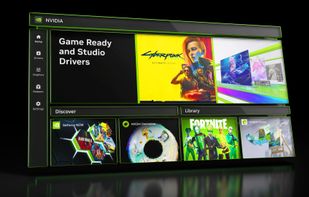
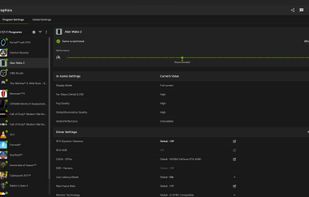
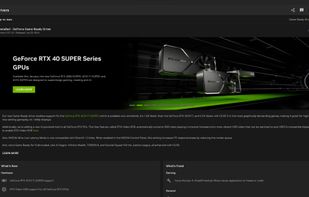
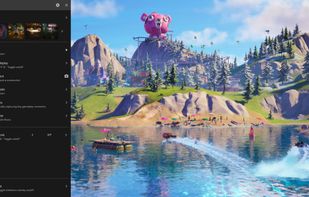
The NVIDIA app updates your PC with the latest drivers and technology, optimizes games and applications through a unified GPU control center, provides recording tools via in-game overlay, and highlights the latest NVIDIA tools and software.


The best Screenshot Capture alternative to MSI Afterburner is Nvidia App, which is free. If that doesn't suit you, our users have ranked more than 25 alternatives to MSI Afterburner and eight of them are Screenshot Capture Tools so hopefully you can find a suitable replacement. Other interesting Screenshot Capture Tool alternatives to MSI Afterburner are Rivatuner Statistics Server (RTSS), ASUS GPU Tweak III, EVGA Precision X1 and EXPERTool.
The NVIDIA app updates your PC with the latest drivers and technology, optimizes games and applications through a unified GPU control center, provides recording tools via in-game overlay, and highlights the latest NVIDIA tools and software.


RivaTuner is a complete powerful tweaking environment, providing you everything you may need to tune NVIDIA GPU based display adapters. The widest driver-level Direct3D / OpenGL and system tuning options, flexible profiling system allowing to make custom settings on...


ASUS GPU Tweak III is currently open beta testing so try it out, if you feel it is missing something crucial give ASUS your feedback & they may be able to add it while still in beta. So far ASUS has been very accommodating with all useful feedback..


EVGA Precision X1 allows you to fine tune your EVGA graphics card for the maximum performance possible, with Core/Shader/Memory clock tuning, real time monitoring support including in-game and compatibility with almost all EVGA graphics cards.


EXPERTool™ tuning utility for customized performance enhancements and efficient desktop management.


FPS Monitor tracks your PC's hardware state and displays this information as an overlay in-game.


Record what you see on your PC screen exactly as it appears. GOM Cam also records all audio outputs from your PC, allowing you to make more dynamic videos. Record your computer screen, webcam video or games, and share with others on YouTube, Google Drive or Facebook.


Any Screen Recorder can complete all the video and audio recording work for you, including gameplay, webcam, online video conference, Video lectures, online video tutorial, web seminar, online teaching, online video, online music, desktop activities, microphone, audio and any...


no manual overclocking ability; the auto oc is trash, just like the driver installation of the app