


MangoHUD
45 likes
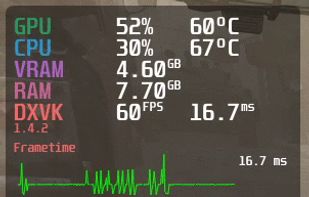
A Vulkan and OpenGL overlay for monitoring FPS, temperatures, CPU/GPU load and more. Discord: https://discordapp.com/invite/Gj5YmBb - flightlessmango/MangoHud

Cost / License
- Free
- Open Source (MIT)
Application type
Platforms
- Linux
- Proton


Features
Highlights All activities
MangoHUD News & Activities
Recent News
No news, maybe you know any news worth sharing?
Share a News Tip
Recent activities


The linux setup for everyone (freeware with GUI only and distro recommendations)
THIS LIST HAS BEEN DELETED DUE TO A BUG, SO IT MISSES SOME HONORABLE MENTIONS !
I've been using Linux for a year now. I do use CLI tool and the terminal but I'm super used to GUI and I do understand why you might don't want to bother with Terminal and stuff ! Here is my list of useful tools for beginners on Linux !
The same list for
macOS :
Windows 10 :


Steam + FOSS-alternative programs for Linux gamers
A list of alternative programs (and OS) to what you would usually get on (and from) Windows.
Linux Mint for being one of the best alternatives to Windows with having a similar taskbar and start menu, such as what you would see from Windows 7.
GameHub being the Linux alternative of GOG Galaxy 2.0
Lutris for using WINE and playing Windows-only digital game distribution platforms and games on Linux.
Proton for playing Windows-only games directly and supported by Steam and Valve itself.
OpenRGB to being the alternative for official RGB software on Windows (many of which are considered bloatware).
MangoHUD being the alternative to MSI Afterburner in terms of monitoring statistics, but without the overclocking feature.
WattmanGTK and Corectl being alternatives to MSI Afterburner, AMD Wattman, and EVGA Precision X1 for AMD graphics cards.
DXVK and vkBasalt for playing games that use DirectX/Direct3D through translation layers.
Developed by
flightlessmangoLicensing
Open Source (MIT) and Free product.Written in
Rating
Average rating of 4.7Alternatives
14 alternatives listedBadge
Get an embeddable badge for MangoHUDSupported Languages

AlternativeTo Categories
Gaming Software, OS & Utilities, System & HardwareGitHub repository
- 9,134 Stars
- 436 Forks
- 352 Open Issues
- Updated


Comments and Reviews
Slightly better than MSI afterburner but doesn't have everything.
It tells total RAM usage, not for current process. It tells total VRAM usage, not for current process. It tells total CPU load, not for current process.
It is more a system monitor than process monitor.
Was easy to install and configure, only two flatpak commands needed, the flatpak installation took only 8 megabytes of storage.
Nice looking and informative hud, just like RTSS on Windows but on Linux.
Highly customizable and descriptive fps overlay.