




Rayburst
12 likes
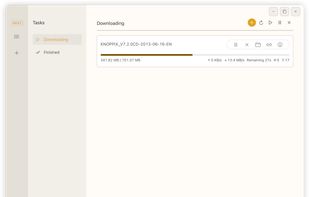
Motrix by agalwood was one of the best open-source download managers available — clean UI, aria2-powered, cross-platform. It inspired thousands of users and developers alike.

Cost / License
- Free
- Open Source (MIT)
Application typeApplication types
Platforms
- Mac
- Windows
- Linux
- Microsoft Edge
- Google Chrome
- Mozilla Firefox


Features
Rayburst News & Activities
Highlights All activities
Recent News
No news, maybe you know any news worth sharing?
Share a News Tip
Recent activities
- Serious Goose updated Rayburst
- Andre Schmidt liked Rayburst
 albilu added Rayburst as alternative to Open Download Manager
 Themba Ngobeni added Rayburst as alternative to Apex Download Manager
- Alter commented on Rayburst
Due to the original Motrix resuming "development" after 3 years of inactivity (smells a lot like AI), Motrix Next has been renamed to Rayburst starting with version 4.0.
- Alter liked Rayburst
 Muzammil-Ijaz added Rayburst as alternative to ODM — Open Download Manager
- miau liked Rayburst


Rayburst information
Developed by
 AnInsomniacy
 Licensing
Open Source (MIT) and Free product.Written in
Alternatives
64 alternatives listedBadge
Get an embeddable badge for RayburstSupported Languages

AlternativeTo Categories
File Sharing, Audio & MusicGitHub repository
- 10,737 Stars
- 331 Forks
- 161 Open Issues
- Updated


Comments and Reviews
Due to the original Motrix resuming "development" after 3 years of inactivity (smells a lot like AI), Motrix Next has been renamed to Rayburst starting with version 4.0.
Its update from legacy Motrix.