MoreFrame is a screen recorder and video editor for Mac and Windows. It records your screen and a second window in one take as separate clips, then gives you a fast timeline editor to turn them into demos, tutorials, launch videos and social clips.
Record: display, window or area, plus a second window as B-roll, camera, microphone and system audio. Clicks, cursor and key presses are recorded for Smart Zoom, click effects and on-screen key labels.
Edit: a timeline with layers, groups, keyframes, speed, ripple delete, masks and 3D camera moves. 500+ motion graphics (titles, kinetic text, charts, callouts, end cards and transitions), auto captions transcribed on your computer, removal of silences, filler words and retakes, sound effects and music, animated characters, LUTs and brand kits. Export 16:9, 9:16 and 1:1 versions from one edit.
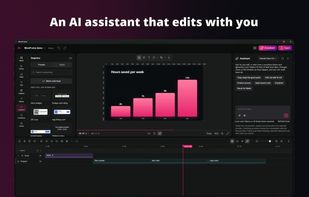
AI: a built-in assistant works with your own Anthropic or OpenAI key or a local model. With Pro, Claude, Codex, Cursor or any MCP-capable agent can edit the project with the same tools you use; edits appear live and undo like your own.
Screenshots: device frames, backdrops, arrows, steps, highlights and blur for private details.
Recording, editing, transcription and export run on your computer. No account and no watermark. Free exports go up to 1080p; Pro adds 1440p and 4K, WebP, SVG and Lottie, and AI agents over MCP.







 Joseph Biros


No comments or reviews, maybe you want to be first?