Mojave Paint is a back to basics image editor with a primary focus on graphical asset production. Sure it can do some design stuff and some photo retouching stuff as well, but really getting into the pixels and manipulating them in an intentional and mathematical way is the primary use case here.
If you're the kind of person who uses a ton of layers in Photoshop or Affinity, if you're making or manipulating bitmaps for an app, a video game or a website, give Mojave Paint a try. It's not trying to reinvent the wheel. You have layers, you have filters, you have adjustments, you have masks, you have various painting tools. This should all feel very familiar.
We currently have:
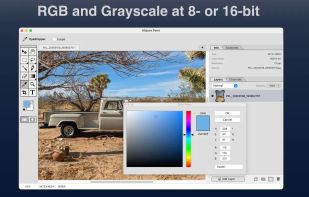
Foundational features – Layers, channels, masks, selection intersection, blend modes, RGB and grayscale color modes
Filters/Adjustments – Levels, curves, brightness/contrast, blur and sharpen, monochrome halftone
Tools – Move, hand, marquee, lasso, magic wand, brush, pencil, eraser, gradient, paint bucket, eyedropper, zoom, crop, type, free transform
Just to be upfront, we don't (yet) have some things you might expect in an app like this including vector shapes, adjustment layers, layer styles, smart objects, and clipping masks.
But the features that are there work together in perfect compliment. We avoid modal states wherever possible so that you can, for example, use any of the various tools while the color picker is open, or you can move the selected region around while the Curves window is open. We allow layer multiselection wherever that would make sense. We allow any paint operation to work on a layer mask just the same as it would work on the layer content.
You might say Mojave Paint is more for nerds than for artists. Or maybe it falls in between.
Don't let the 90's retro vibe fool you, Mojave Paint has fully modern internals and takes full advantage of the unified memory architecture of Apple Silicon. We hope you like it and look forward to any feature requests!






 Paul added Mojave Paint as alternative to GIMP, Adobe Photoshop, Paint.NET, SketchBook and 47 more


No comments or reviews, maybe you want to be first?