Cost / License
- Freemium
- Proprietary
Platforms
- Android


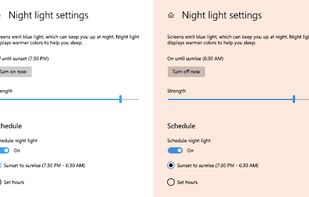
To schedule Night Light so it turns on automatically, select Start > Settings > System > Display > Night light > Night light settings.


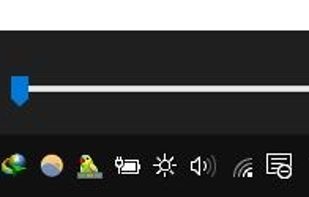
this app puts a Monitor Brightness icon to on Taskbar Tray. So you can access it with 1 click.


Form 1 Hour Software by skrommel, it can dim the screen by applying a transparent gray layer on top of your opened applications
 United States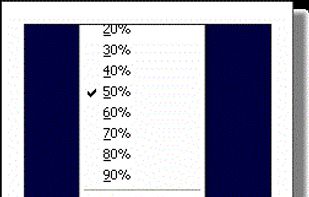


Free software for eye protection and more! It protects your eyes while you are working on the computer. Eye Saver has three main functions: blue light filter; eliminates the invisible flickering of the display backlight; reminds you to take breaks;
 United Kingdom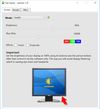


NightTone makes your screen more comfortable, enjoyable and healthier by shifting the colors of your display to a warmer, eye-friendly palette. It makes you sleep and feel better.
 Romania
 EU
EU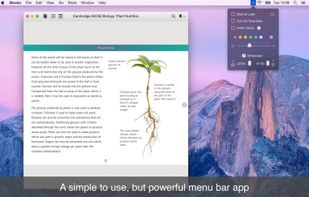



Inspired by Redshift, Blueshift adjusts the colour temperature of your monitor according to brightness outside to reduce eye strain and make it easier to fall asleep when going to bed.

iBrightness Tray is a little bit of a swiss army knife display tool as adjusting the brightness of your screen is just one of three main functions it has. The other two are turning on your screensaver at the click of a button and also the ability to turn off the display...


EasyEyes by Autosofted is an app that can do what f.lux does and more. F.lux only allows the user to adjust temperature, while EasyEyes allows both temperature AND brightness adjustment. EasyEyes allows the user to create multiple transition times.
United States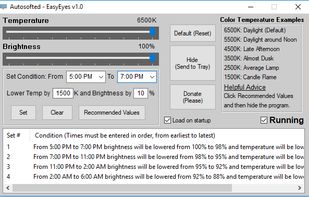


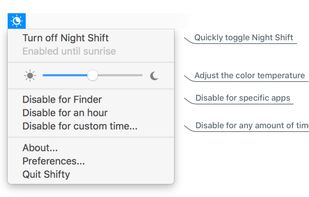
Shifty was made to expand the capabilities of the built in Night Shift feature in macOS. You can disable Night Shift for specific apps and custom time periods. It also provides easy access to a slider to fine tune your color temperature.


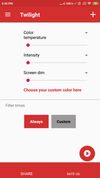
Twilight Blue Light Filter is an optimal night filter that can be created to provide a warm light night screen for your eye care.
 India
India