


Minimal Firewall
Minimal Firewall is a portable Windows firewall frontend that alerts users to internet connections without requiring custom kernel modifications or disabling core isolation, striking a balance between TinyWall's security and SimpleWall's functionality.


Features
Properties
- Lightweight
- Privacy focused
Features
- Firewall
- Dark Mode
- No Tracking
- Portable
- No registration required
- Ad-free
- No Logs
- Decentralized
Tags
- firewall-management
- windowsfilteringplatform
- firewall-configuration
- Security & Privacy
- Security
- firewall-rules
Minimal Firewall News & Activities
Recent activities
 TheEmperorArt added Minimal Firewall as alternative to EasyFirewall
- mireiland liked Minimal Firewall
- Deminimis updated Minimal Firewall
- Deminimis A comment was removed from Minimal Firewall
- kiro598 rated Minimal Firewall
- kiro598 liked Minimal Firewall
 K0RR added Minimal Firewall as alternative to Bouncer App
 K0RR added Minimal Firewall as alternative to Douane


Minimal Firewall information
Developed by
 deminimis
 Licensing
Open Source (AGPL-3.0) and Free product.Written in
Rating
Average rating of 5Alternatives
35 alternatives listedSupported Languages
- English

AlternativeTo Categories
Security & Privacy, Network & AdminGitHub repository
- 191 Stars
- 15 Forks
- 13 Open Issues
- Updated


Featured in Lists

This is a list that prefers open-source and lightweight Windows applications. A few partially open-source or …
What is Minimal Firewall?
Core Features Lockdown Mode: The core of Minimal Firewall. Enable this mode to block all outbound connections by default. No program connects without your explicit say-so.
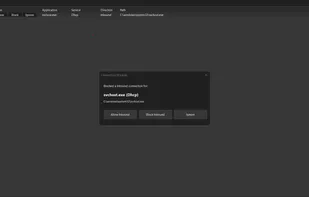
Real-Time Connection Alerts: Get instant notifications when a blocked program tries to connect, allowing you to make a decision on the spot. You can choose whether to have annoying pop-ups or quiet, in-application notifications.
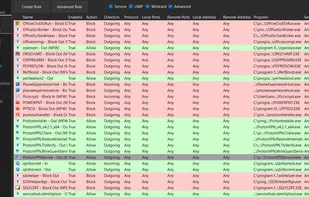
Simple Rule Creation: Allow or block any application permanently with a single click, or temporarily allow or block.
Wildcard Rules: Easily manage programs that update frequently (like web browsers) by creating rules that apply to any version within a specific folder.
UWP & Service Support: Manage rules for modern Windows Store apps and background system services, not just traditional desktop programs.
Light & Dark Themes: A clean user interface that's easy on the eyes, day or night.
100% Local and Private: Minimal Firewall contains no telemetry, does not connect to the internet itself, and all your rules and logs are stored locally on your machine.
Portable: Minimal Firewall can be copied as a portable app, and you can even delete all the rules created by it in the app.
Minimal Firewall offers a more secure and integrated approach by interacting directly with the native Windows Firewall, eliminating the need for risky system modifications. Unlike Fort Firewall, which compromises system security by requiring core isolation to be disabled—exposing the kernel to potential exploits—Minimal Firewall preserves critical OS protections. Compared to Simplewall, which uses low-level WFP filters and introduces a larger attack surface with potential for conflicts or misconfigurations, Minimal Firewall leverages the stability, auditing, and trusted enforcement of the built-in firewall engine. This mitigates potential risks from WFP, such as potential exploits from malformed network packets or bugs in custom packet-parsing code. And unlike Tinywall, which fails to alert users of new or unauthorized outbound connections, Minimal Firewall provides real-time visibility and control, maintaining both usability and security without sacrificing system integrity.
Comments and Reviews
Goog firewall, complementary with Windows, light...
similar to simplewall...
I like BiniSoft Windows Firewall Control , but maybe I will compare this sometime