



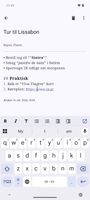
DavNotes: simple Android notes app that syncs notes as VJOURNAL with your own CalDAV/Radicale server, works offline, with Markdown and conflict handling.
 Denmark
 EU






Apps similar to Milanote include Anytype, which has a free version. Other options are Notesnook, AFFiNE, Zim and CherryTree. There's no shortage of Note-taking Tools like Milanote, with more than 100 alternatives for Windows, the web, Mac, Android and Linux.
DavNotes: simple Android notes app that syncs notes as VJOURNAL with your own CalDAV/Radicale server, works offline, with Markdown and conflict handling.
DenmarkEU
Sticky notes that live at the edge of your screen. Native macOS, SwiftUI + AppKit, local-only with encrypted note bodies.
 Algeria




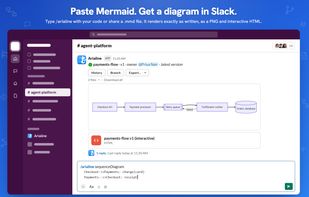
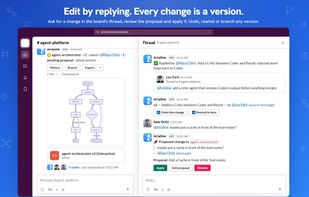
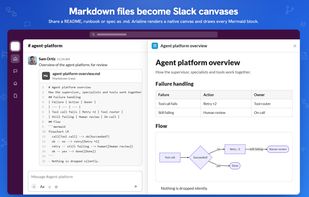
Arialine brings Mermaid diagrams and AI diagram generation to Slack. Teams design systems in Slack threads, but diagrams often live elsewhere, fall out of date, and lose the reasoning behind them.
 Ukraine



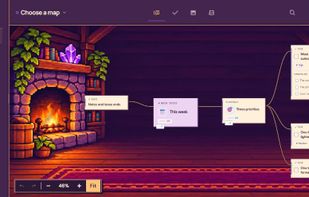
StickyBoard is a sticky-note app for macOS. Keep notes on an infinite canvas, pin the important ones to your desktop, and sort them across boards by tag. StickyBoard is included in every getapps.cafe subscription.
 United States



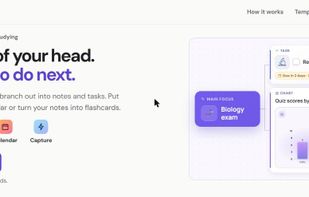
HeadTidy is a mind map app for getting everything out of your head and into a clear plan. Type a thought and it lands on a visual map you can rearrange, group and turn into tasks.
 LithuaniaEU


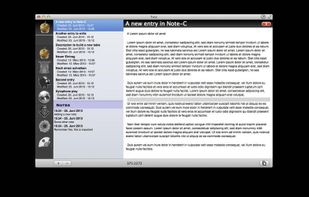
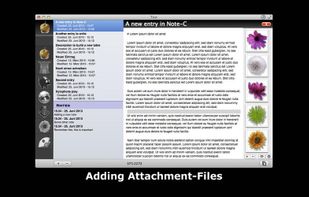
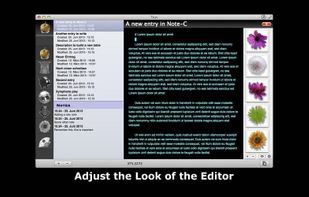
"Note-C" is a very simple application for collecting your notes, snippets and any other piece of text without limiting access to your entries and offering extensive export-features.


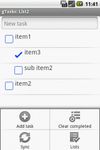
First offline Task,Todo list application that syncs with Google Tasks.
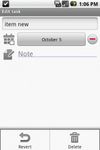


Autofocus System is a simple yet effective time management system. It was developed by Mark Forster.


Make lists, add by voice from home screen.
QwikList Voice is a handy home screen app that allows you add items to a list, send SMS, or quick add to Google Calendar by speaking to your phone! Uses Google voice to text. You can quickly and easily create reminders, shopping lists.
United States



If you often need to quickly jot something down, SideWriter is there with a flick of the wrist.


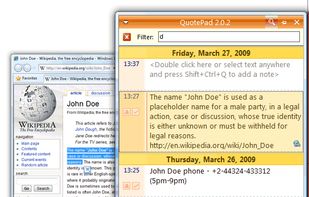
Most information entered into your computer notepad is copied and pasted from somewhere. With QuotePad, you can do it with maximum efficiency: just select some text in any application, press Ctrl+Shift+Q and the selected text will be saved to QuotePad together with the URL of...


Automatically capture and interpret paper documents, scanned images, email, and faxes using sophisticated document and character recognition software


 Canada
