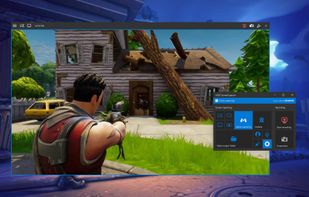
Xbox Game Bar is described as 'Get to know Game Bar on Windows Open Game Bar to take control of all your favorite gaming activities while playing on your Windows 10/11 device' and is a Screen Recorder in the photos & graphics category. There are more than 100 alternatives to Xbox Game Bar for a variety of platforms, including Windows, Mac, Web-based, Linux and Android apps. The best Xbox Game Bar alternative is GPU Screen Recorder, which is both free and Open Source. Other great apps like Xbox Game Bar are SimpleScreenRecorder, Nvidia App, Bandicam and VokoscreenNG.


vMix is a Software Video Mixer and Switcher that utilises the latest advances in computer hardware to provide live HD video mixing, a task previously only possible on expensive dedicated hardware mixers.


Apowersoft Screen Recorder captures screen and audio activity, saving it as WMV video files. It includes a converter for transforming WMV files into formats like AVI, MP4, FLV, SWF, and more. The software records PC screen activity with audio, webcam videos, external device...


If you spend too much time on email and chat, try sending instant video messages and screenshots with ScreenRec. You'll get your point across faster and save precious hours.


Versatile screen recording and live streaming tool, broadcasting to over 30 platforms. Enhances streams with stickers, templates, and images. Supports lectures and games, offers scheduled recording and operates as a virtual camera for meetings.


ScreenCam is a free and open-source Android app to record screen using native API and without root. It can record sound from the speaker and is configurable, letting you change the recording format and location of save files among other options.


Screencast Capture Lite is a tool to continuously capture the desktop screen, storing this information in video files. The application supports recording from the primary screen, from a chosen window or from a fixed region.

Capture, stream and share your greatest moments and gaming wins with Radeon ReLive. Modify settings quickly, conveniently, and play seamlessly with the easily accessible in-game toolbar. Express yourself in bold new ways with custom scene layouts.


A Chrome extension for capturing, editing and sharing screencasts. Save recordings automatically to your Google Drive or publish directly to YouTube.


Record full screen or customized areas with webcam options. Annotate in real time, highlight cursor actions, and record both system and voiceover audio. Ideal for creating instructional videos, webinars, and presentations. Free for personal use, compatible with PCs.


Free & affordable Livestream made for every church. Omnia strives to make tools that empower and equip the Church to fulfill it's calling by focusing on software that is impactful, affordable, easy to use, and has great support.