
Meva icon
Meva icon

Meva

 Like

A fast, native markdown viewer built for the AI era. Browse folders, render LaTeX and Mermaid diagrams, and read AI-generated docs beautifully — all offline, under 15MB.
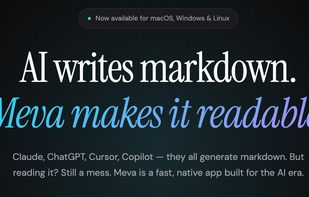
Meva screenshot 1

Cost / License

  • Freemium (Pay once)
  • Proprietary

Since

  • Since 2026

Platforms

  • Windows
  • Mac
  • Linux
0likes
0articles
Save

Features

Properties

Features

Highlights All activities

Meva News & Activities

Recent activities

Meva information

  • Developed by

    US flagMintingworks LLC
  • Licensing

    Proprietary and Freemium product.
  • Pricing

    One time purchase (perpetual license) that costs $15 + free version with limited functionality.
  • Alternatives

    53 alternatives listed
  • Badge

    Get an embeddable badge for Meva
  • Supported Languages

    • English

AlternativeTo Categories

Office & Productivity, Development

Popular alternatives

View all
Meva was added to AlternativeTo by ss-meva on and this page was last updated .

No comments or reviews, maybe you want to be first?

Official Links

What is Meva?

Meva (Markdown Explorer & Viewer App) is a lightweight native desktop application built specifically for reading AI-generated markdown files. If you use Claude, ChatGPT, Cursor, or Copilot regularly, you have a growing pile of markdown files — Meva makes them beautiful and browsable. Unlike editors like Obsidian or Typora, Meva is focused entirely on viewing, not editing. Just point it at a folder and browse. No project setup, no configuration, no cloud sync. Key capabilities include live file watching (see AI-streamed output render in real-time), native LaTeX rendering, Mermaid diagram support, syntax highlighting for 100+ languages, auto-generated table of contents, document stats, and one-click code block copying. Built with Tauri (Rust + native WebView), Meva is under 15MB — no Electron bloat. It launches in milliseconds and works fully offline with zero tracking.

Meva Videos