


Marker
2 likes
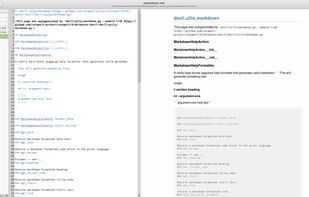
A simple GTK+ Markdown text editor with dual-pane live preview, spellcheck, style and theme support, and export to HTML and PDF.

Cost / License
- Free
- Open Source (GPL-3.0)
Application typeApplication types
Since
- Since 2020
Updated
- Updated Aug 2026
Releases
- No releases last yearNone last year


Features
Highlights All activities
Marker News & Activities
Recent activities
No activities found.


Developed by
Fábio ColacioLicensing
Open Source (GPL-3.0) and Free product.Written in
Alternatives
10 alternatives listedBadge
Get an embeddable badge for MarkerSupported Languages

AlternativeTo Categories
Office & Productivity, DevelopmentGitHub repository
- 866 Stars
- 80 Forks
- 135 Open Issues
- Updated



Comments and Reviews
You can switch between different display modes, like editor only, editor plus preview etc.
But there does not seem to be a way to put the font and font size, neither in the editor, nor in the preview.
Last version from May 2023.
Nothing special; I don’t know why I should prefer this software over other fine Markdown editors like Typora or whatever.