


MagicPods
5 likes
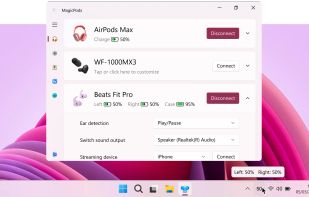
Displays headphone battery, handles connections, audio routing, and notifications for AirPods and other wireless earbuds on Windows, replicates iPhone features, supports multiple brands, shows low battery, works offline, ad-free, with customizable interface.

Cost / License
- Pay once
- Proprietary
Application type
Platforms
- Windows
- Steam Deck


Features
MagicPods News & Activities
Highlights All activities
Recent News
No news, maybe you know any news worth sharing?
Share a News Tip
Recent activities
 Jos Zien added MagicPods as alternative to VisoDyne Battery Monitor
- Jos Zien added MagicPods as alternative to VisoDyne Battery Monitor
- Jos Zien added MagicPods as alternative to VisoDyne Battery Monitor
 Paul added MagicPods as alternative to Google Pixel Buds
 Paul added MagicPods as alternative to MacJuiceMonitor
 Danilo Venom added MagicPods as alternative to ToothFairy, NoiseBuddy and winpods
- Danilo Venom updated MagicPods
- Danilo Venom updated MagicPods
- Danilo Venom added Multi Device Support as a feature to MagicPods


MagicPods information
Developed by
 Alexander Maslov
 Licensing
Proprietary and Commercial product.Pricing
One time purchase (perpetual license) that costs $2.Alternatives
14 alternatives listedBadge
Get an embeddable badge for MagicPodsSupported Languages
AlternativeTo Categories
Audio & Music, OS & UtilitiesGitHub repository
- 167 Stars
- 11 Forks
- 41 Open Issues
- Updated


Featured in Lists



The Windows setup for everyone (with freeware only) Will make Windows suck less
This is the apps for Windows 11 that I would recommend to anyone who just got a PC !
The same list for
macOS :
Linux kernel (GUI apps only) :

No comments or reviews, maybe you want to be first?