macUSB icon
macUSB icon

macUSB

macUSB is a free and open-source macOS app for creating bootable USB media for macOS, Linux, and Windows. It is designed as an all-in-one tool that guides the user through the entire process step by step, while supporting both Apple Silicon and Intel Macs.
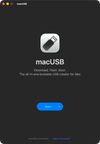
macUSB start screen with the app’s main tagline, The all-in-one bootable USB creator for Mac

Cost / License

  • Free
  • Open Source (MIT)

Application type

Platforms

  • Mac
  • Homebrew
13likes
1comment
0articles

Features

Properties

  1.  Lightweight

Features

  1.  Works Offline
  2.  No registration required
  3.  Dark Mode
  4.  Ad-free
  5.  Create bootable USB
  6.  UEFI Support

macUSB News & Activities

Highlights All activities

Recent News

No news, maybe you know any news worth sharing?
Share a News Tip

Recent activities

  • IWantLinux icon
    POX added macUSB as alternative to IWantLinux
  • Kruszoneq updated macUSB
  • Kruszoneq updated macUSB
  • cengisyildis liked macUSB
  • MeowUSB icon
    Alex1991 added macUSB as alternative to MeowUSB
  • JoeHowellDesign liked macUSB
  • Guest thinks Lightweight is a important feature of macUSB
  • Mist icon
    Fla added macUSB as alternative to Mist
  • Wierzciu liked macUSB

macUSB information

  • Developed by

    PL flagKruszoneq
  • Licensing

    Open Source (MIT) and Free product.
  • Written in

  • Alternatives

    54 alternatives listed
  • Supported Languages

    • English
    • Polish
    • German
    • Japanese
    • French
    • Spanish
    • Portuguese
    • Chinese
    • Russian
    • Vietnamese
    • Turkish
    • Ukrainian
    • Italian

AlternativeTo Categories

OS & UtilitiesCD/DVD Tools

GitHub repository

  •  2,624 Stars
  •  123 Forks
  •  0 Open Issues
  •   Updated  
View on GitHub

Popular alternatives

View all

Our users have written 1 comments and reviews about macUSB, and it has gotten 13 likes

macUSB was added to AlternativeTo by Paul on and this page was last updated .

Comments and Reviews

   
PatrickL
0

Great app! Well-designed, and it even shows a progress bar! I was able to create a bootable USB drive for a Linux distribution. If you're on a Mac, I highly recommend it!

Review from a new or low-activity account — shown here, but not counted in the app rating.

What is macUSB?

macUSB is a free and open-source macOS app for creating bootable USB media for macOS, Linux, and Windows. It is designed as an all-in-one tool that guides the user through the entire process step by step, while supporting both Apple Silicon and Intel Macs.
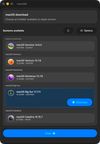
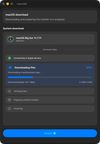
For macOS, the app can work with local installers and disk images in .app, .dmg, .cdr, and .iso formats. Its built-in downloader can discover and download installers directly from Apple’s servers, including available Public Beta releases, while also checking whether a suitable installer is already present in /Applications before starting a new download. macUSB handles the differences between installer generations automatically, which allows it to prepare installation media for modern systems as well as older Macs.

The app also supports Linux and Windows images. After an ISO file is selected, macUSB identifies the available system information, including the version and architecture, and then uses the appropriate creation method. Windows installation media can be prepared for either UEFI or Legacy BIOS, depending on the selected release, with the macUSBoot bootloader providing support for older BIOS-based computers.

macUSB can also generate an optional automated Windows setup configuration that simplifies the OOBE process, creates a local account, skips the Microsoft account requirement, and disables selected Windows 11 hardware checks. The app verifies the selected drive’s structure and format, calculates SHA-256 checksums for recognized disk images, supports direct writing of raw .img files, and displays live progress throughout the creation process.

macUSB requires macOS 14.6 Sonoma or later and is available through GitHub Releases and Homebrew.

Official Links