Lock-UnMatic icon
Lock-UnMatic icon

Lock-UnMatic

 3 likes

Sometimes, files on the Mac cannot be deleted, moved or renamed. This can be caused by insufficient access rights, or because some processes are still using these files.
Lock-UnMatic screenshot 1

Cost / License

  • Free
  • Proprietary

Application type

Since

  • Since 2012

Platforms

  • Mac  at least Mac OS X 10.5.8 (aka Leopard)
3likes
0articles
Save

Features

Highlights All activities

Lock-UnMatic News & Activities

Recent activities

Lock-UnMatic information

AlternativeTo Category

File Management

Our users have written 1 comment or review about Lock-UnMatic, and it has gotten 3 likes.

Lock-UnMatic was added to AlternativeTo by AbuDun on and this page was last updated .

Comments and Reviews

   
adamenkodelwinsay
0

I would recommend you to use the Long Path Tool. It should sort out your problem

What is Lock-UnMatic?

Sometimes, files on the Mac cannot be deleted, moved or renamed. This can be caused by insufficient access rights, or because some processes are still using these files.

Unfortunately, the Mac OS X Finder doesn't tell the user which processes exactly are causing the lock. Also, these processes are often running hidden in the background - so they can't even be quit using the Dock.

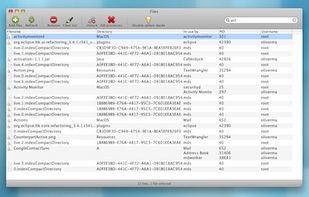
Here, Lock-UnMatic comes into play. Simply drag and drop the affected files onto the application-icon (or into the application-window), and Lock-UnMatic shows you a nice overview of all blocking processes. It's also possible to kill these processes from within the application.

Lock-UnMatic is freeware and provided under the LGPL. The latest binary version can be downloaded in the Downloads-section, as well as the sourcecode. The application is multilingual (English and German).