




LinkUnbound
2 likes
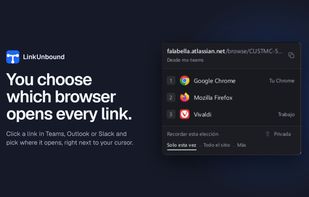
Choose which browser opens each link on Windows and macOS. Ask every time, or let a rule decide by site, profile or the app the link came from. Open source, local, no telemetry.

Cost / License
- Free
- Open Source (GPL-3.0)
Application typeApplication types
Platforms
- Mac
- Windows



Features
LinkUnbound News & Activities
Highlights All activities
Recent activities
- Croco Loki liked LinkUnbound
- hotfixer669 liked LinkUnbound
- Rodrigo García added LinkUnbound
- Paul updated LinkUnbound
 Rodrigo García added LinkUnbound as alternative to Finicky, Browserosaurus, Velja and Browser Select

LinkUnbound information
Developed by
 Mario Hidalgo
 Licensing
Open Source (GPL-3.0) and Free product.Written in
Alternatives
4 alternatives listedBadge
Get an embeddable badge for LinkUnboundSupported Languages

AlternativeTo Categories
Web Browsers, OS & UtilitiesGitHub repository
- 10 Stars
- 0 Forks
- 3 Open Issues
- Updated


No comments or reviews, maybe you want to be first?