





LightGitPad
Like
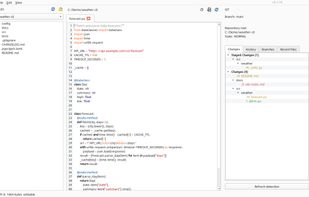
LightGitPad brings a project's file tree, syntax-highlighted code and Git changes into one desktop window. It provides side-by-side diffs, commit history, a branch list and rendered Markdown previews.

Cost / License
- Free
- Open Source (MIT)
Application type
Platforms
- Mac
- Windows


Features

Highlights All activities
LightGitPad News & Activities
Recent activities
- Felix-Wang added LightGitPad
- Felix-Wang updated LightGitPad
 Felix-Wang added LightGitPad as alternative to Sublime Merge and Notepad++

Developed by
Felix WangLicensing
Open Source (MIT) and Free product.Written in
Alternatives
2 alternatives listedBadge
Get an embeddable badge for LightGitPadSupported Languages

AlternativeTo Categories
Development, Office & ProductivityGitHub repository
- 3 Stars
- 0 Forks
- 0 Open Issues
- Updated

No comments or reviews, maybe you want to be first?