Lectern is a free, open-source PDF reader for macOS 26 on Apple Silicon, made for long reading: papers, books, manuals and reports.
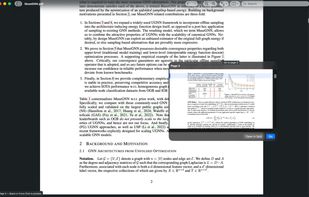
Hover a citation, footnote or figure reference (or Force Click it, or move to it from the keyboard) to preview where it goes, then Go, Open in Split or Dismiss. The split view shows two places in the same document, each with its own zoom and history.
Highlights, underlines, strike-throughs and notes are saved as standard PDF annotations inside the file, appended as an incremental update instead of rewriting it, so other PDF apps show them and the original bytes stay untouched. Signed PDFs are saved as a copy. Password-protected PDFs are supported.
It is sandboxed, works offline, and has no account, telemetry, ads or AI features. Update checks are off unless you turn them on.
Limits: macOS 26 or later on Apple Silicon only, forms are read-only, and there is no text recognition for scanned pages yet. The app is not signed with an Apple Developer ID, so a downloaded disk image needs Open Anyway once; the Homebrew cask and the one-line installer avoid that step.








No comments or reviews, maybe you want to be first?