


Kumux Alternatives
Kumux is described as 'Dynamic circadian color scheme for code editors and other software. It adjust color temperature, color hues, contrast and brightness levels throughout the day based on the position of the sun' and is a color temperature tool in the photos & graphics category. There are more than 50 alternatives to Kumux for a variety of platforms, including Windows, Mac, Linux, Android and Wayland apps. The best Kumux alternative is f.lux, which is free. Other great apps like Kumux are Redshift, LightBulb, Solace and Red Moon.
Alternatives list
 34 Vivid alternatives
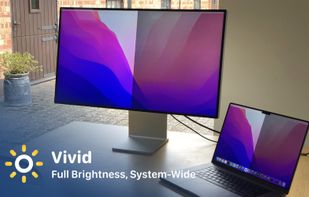
Vivid is a software that enables users to amplify the brightness of their MacBook Pro and Pro Display XDR, system-wide, utilizing standard Apple APIs.
Cost / License
- Paid
- Proprietary
Platforms
- Mac

 K
K
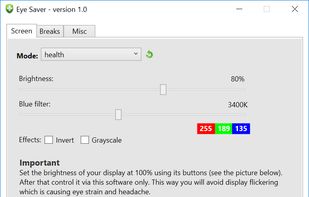
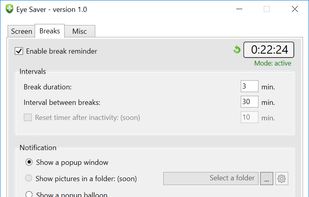
Free software for eye protection and more! It protects your eyes while you are working on the computer. Eye Saver has three main functions: blue light filter; eliminates the invisible flickering of the display backlight; reminds you to take breaks;
 K
K
Cost / License
- Freemium
- Proprietary
Platforms
- Android
 K
K 53 Windows Night Light alternatives
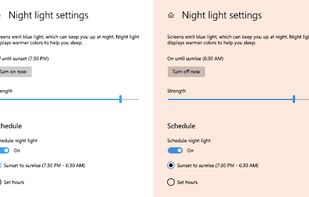
To schedule Night Light so it turns on automatically, select Start > Settings > System > Display > Night light > Night light settings.
 K
K 58 DimScreen alternatives
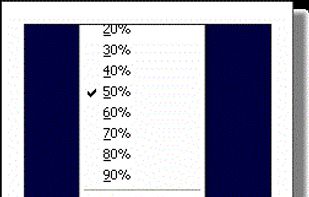
Form 1 Hour Software by skrommel, it can dim the screen by applying a transparent gray layer on top of your opened applications
 K
K

 K
K
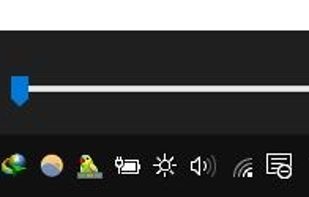
this app puts a Monitor Brightness icon to on Taskbar Tray. So you can access it with 1 click.
Cost / License
- Free
- Open Source
Platforms
- Windows

 K
K
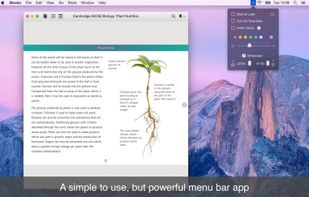
NightTone makes your screen more comfortable, enjoyable and healthier by shifting the colors of your display to a warmer, eye-friendly palette. It makes you sleep and feel better.

 K
K
iBrightness Tray is a little bit of a swiss army knife display tool as adjusting the brightness of your screen is just one of three main functions it has. The other two are turning on your screensaver at the click of a button and also the ability to turn off the display...

 K
K
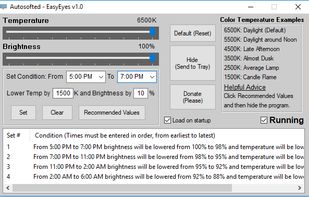
EasyEyes by Autosofted is an app that can do what f.lux does and more. F.lux only allows the user to adjust temperature, while EasyEyes allows both temperature AND brightness adjustment. EasyEyes allows the user to create multiple transition times.
 K
K


 United States


 United Kingdom


 Romania
 EU
EU


