




Krita
1516 likes
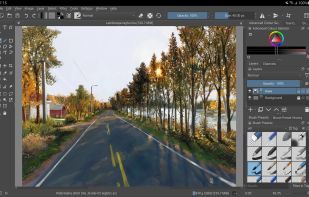
Free, open-source painting software designed by artists for artists. Offers customizable UI, 9 brush engines, color management, tablet support, non-destructive editing, and privacy features. Portable and available on major platforms, supporting seamless texture creation.

 EU


Features
Highlights All activities
Krita News & Activities
Recent News
- Fla published news article about Krita
- Paul published news article about Krita
- Paul published news article about Inkscape


Recent activities


The ultimate F-Droid setup (300+ Apps)
WHAT IS F-DROID ?
F-Droid is an awesome app repository for FOSS (Free & Open Source Software) android apps. From productivity apps to games, f-droid has (almost) everything you need.
Hope you will discover useful FOSS apps to free your phone from Big Tech^^
REPOSITORIES :
This list includes apps from the official f-droid repo but also from IzzyOnDroid and some customs repositories which will be always linked so you can add them easily.
CATEGORIES :
F-Droid clients
Utilities
Social & Communication / 8 subcategories
Health / 7 subcategories
Customization / 3 subcategories
Gaming / 3 subcategories
Internet / 6 subcategories
Productivity / 15 subcategories
Privacy / 5 subcategories
Security / 4 subcategories
Media apps / 10 subcategories
If you care about privacy check :
Privacy focused OS for everyone
My privacy and user friendly setup
For more FOSS Android apps check : Beautiful Open Source Apps for Android
DISCLAIMERS :
Adding custom repo might not be as secure as the official one so I'm not responsable if you encounter any problems with them ! I encourage you to do your own research about it !
Also while open source is great for privacy and security it is not perfect. So keep that in mind before downloading any apps.
Most apps that I've listed are privacy friendly but some might be not be perfectly private and secure. I again encourage you to do your own research about them.
I am not a privacy and security expert. I'm also don't consider myself as a developper so I do not have any technical knowledge and so I didn't look into any source code of any apps in this list !
English is not my mother tongue ^^'


The Windows setup for everyone (with freeware only) Will make Windows suck less
This is the apps for Windows 11 that I would recommend to anyone who just got a PC !
The same list for
macOS :
Linux kernel (GUI apps only) :


Free tools (Software that can help you mostly in any field)
This is going to be a list of the free tools/software that can be used mostly in any field. it's based on websites recommendations, personal experience and YouTube videos. If there's any software that you like to be added here pls inform me so we can do it together. They won't be in the alphabetical order. Together we can do it. If you find any software in the list that's not free let me know
Official Links

Install from the command line
winget install -e --id KDE.Kritabrew install --cask krita
Developed by
 KDE, Krita Foundation
Licensing
Open Source and Free product.Rating
Average rating of 4.6Alternatives
175 alternatives listedNews
5 news article related to KritaBadge
Get an embeddable badge for KritaSupported Languages




Comments and Reviews
For me, Krita is the best 2D graphics software currently available.
It is quite lightweight and not system demanding - the lightest 2D graphics software I've ever seen.
The downside is that... the interaction with the program's interface is... a bit not user-friendly. But personally, it was limited only to the initial customization of the interface for my own needs, and after that I don't have to interact with it much. So this disadvantage can hardly be called a disadvantage - it's a very insignificant drawback. The second minus for me are the Brush Engines. There are a lot of them, and when you switch to Krita, you have to spend a lot of time to read the information on each Brush Engine and try it. And in the end it turns out that all Brush Engines, except, it seems, Pixel Engine, are rather... unfinished, raw, unnecessary. And one could limit oneself to just the Pixel Engine, and invest time in refining it, instead of creating this mess with more Brush Engines.
I would like to see more focus on the foundational tools, and less on all the “digital trickery”. That perhaps a material-based Brush Engine could be implemented, where the tools are materials with their own properties and behaviors, just like in the traditional format. Perhaps add three-dimensionality to the canvas, so that the strokes applied are a bit three-dimensional, just like in traditional painting. Enhanced color mixing, like the one introduced not too long ago in Clip Studio Paint.
Unlike Photoshop, Krita is lightweight, open source, free, and created geared towards artists and only artists - where you don't have to damn well create petitions for Adobe to change the mechanics of how the Smudge Tool works. Compared to Clip Studio Paint, Krita has all the same advantages, only the artist-centricity is replaced by more advanced functionality (when you need it) and the lack of cluttering the program with pre-installed resources and auxiliary 3d garbage, implemented very poorly. Comparing it to Rebelle seems a bit of a misnomer, as Rebelle has a focus on mimicking the traditional drawing and painting format. I can't compare it to the Procreate, but being tied to one device that no serious work can be done on seems absurd. And I would still like to avoid Apple.
I am amazed and impressed by the sheer range of possibilities this program offers, even though the interface takes some getting used to. The only downside is that it doesn't support WebP, a format widely used in web development.
Krita is by far my second favorite program after GIMP. Besides drawing, it also allows you to edit images, which is perfect for non-professionals like me who need basic and some advanced editing tools for everyday tasks.
I started to use Krita in 2013 or 2015 when it was still poorly optimized for me to work with. At first, I went back to Paint Tool Sai or Photoshop, but in 2016, I went back on it and I never gave it up again since. I made all my drawings using it, on Windows as well as on Linux, and in both case, it's become a really great software. And even if it's more illustration-oriented, I used it a few time for image-editing because I still find it's a better choice than Gimp for that.
This is the only graphics editor for Linux that I know of that has proven to be truly useful for working with graphics, including on computers not connected to the Internet.
In regards of the Android tablet version, while remaining very powerful, it's a 1:1 porting of the Desktop version.
The issue is, sadly, that makes the experience clunky for new users. Sure, it gets better after getting used to it (like everything after all), but I think this software would enjoy a proper UI conceived for Android tablets.
That said, if you manage to overcome this, you'll have in your hands the option to carry your art around and (almost) seamlessly edit it from PC to tablet and vice-versa at zero costs.
A remarkable app for digital painting and photo editing, only held back by a mediocre text tool and the lack of a few other features.