
Kondor File Manager icon

Kondor File Manager

Native macOS file manager and Finder alternative for faster browsing, previews, archives, folder sync, remote files, and bulk media work.
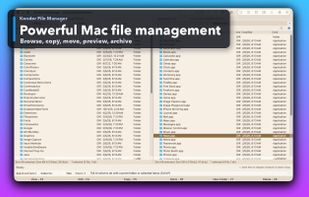
Kondor File Manager screenshot 1

Cost / License

  • Freemium (Subscription)
  • Proprietary

Application types

Platforms

  • Mac
0likes
0comments
0articles

Features

  1.  Dark Mode
  2.  Built-in viewer
  3.  Live Preview
  4.  Supports Zip files
  5.  No registration required
  6.  Works Offline
  7.  Ad-free
  8.  File Sync
  9.  Support for SFTP

Kondor File Manager News & Activities

Highlights All activities

Recent activities

Kondor File Manager information

  • Developed by

    TR flagTepesoft
  • Licensing

    Proprietary and Freemium product.
  • Pricing

    Subscription that costs $2 per month + free version with limited functionality.
  • Alternatives

    4 alternatives listed
  • Supported Languages

    • English

AlternativeTo Categories

File ManagementFile SharingBackup & Sync
Kondor File Manager was added to AlternativeTo by ononontherun on and this page was last updated .
No comments or reviews, maybe you want to be first?

What is Kondor File Manager?

Kondor File Manager is a native macOS file manager for people who need more control than Finder gives them during serious file work. It combines dual-pane browsing, tabs, keyboard-first actions, search, previews, archive tools, folder comparison and sync, remote and cloud resources, direct-device workflows, and bulk image or video conversion.

Mac power users, developers, creators, photographers, video editors, and IT users can use Kondor as a faster file explorer for Mac when they organize downloads, compare folders, inspect large file sets, extract archives, transfer files, or manage FTP, SFTP, WebDAV, S3, Dropbox, Google Drive, and device files. Kondor Lite is free for daily local file work, with optional Pro features for advanced workflows.

Official Links
