


KMail
49 likes
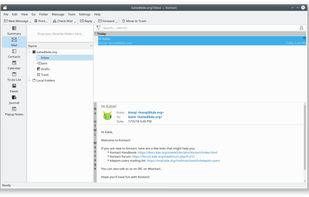
KMail is the email component of Kontact, the integrated personal information manager of KDE. Kontact is a personal information manager and groupware software suite for KDE. It supports calendars, contacts, notes, to-do lists, news, and email.

Cost / License
- Free
- Open Source
Application type
 EU
EUPlatforms
- Linux
- BSD

Features
KMail News & Activities
Highlights All activities
Recent activities
 Paul added KMail as alternative to Penguin Mail
 Korbs added KMail as alternative to Convey-Mail
 flectar added KMail as alternative to Flectar Mail
- 1victor added Support for Themes as a feature to KMail
- 1victor added GPG Encryption as a feature to KMail
- 1victor added Mail Filtering as a feature to KMail




KMail information
Developed by
 KDE
KDE Licensing
Open Source and Free product.Alternatives
60 alternatives listedBadge
Get an embeddable badge for KMailSupported Languages


Featured in Lists


Awesome, open source work
A curated list of awesome apps for work


Privacy-Respecting Apps and Services (Computers)
Choose freedom and continued democracy by switching away from big tech in your personal digital lives.
Not all apps and services listed will be open source or even free (as in free beer), but they will at the very least be privacy-respecting.
Of course, there will be a few exceptions, simply because they are necessary for some people, like for work.
BUT, THEY ARE NOT NECESSARY FOR YOUR PERSONAL LIFE. Work-life balance is important.
This list will get updated from time to time.
Each section lists my recommendations in order of best (in my opinion) to good enough. Except for the Docs and OS sections, which are listed from easiest for beginners to better for creatives, techies, and professionals. These and the Video Conferencing section, which is listed based on needed for work to good enough for personal use.
Lastly, the Linux operating systems (or distros) are at the end of the list because no matter which you choose, the majority of these apps can be installed on Windows, and can certainly be installed on any of the distros.


Pre-Installed Windows Apps Alternatives.
A list with 12 apps by RemovedUser without a description.
Comments and Reviews
KMail could be a feature-rich powerhouse that outshines the alternatives, however, the settings UI is overwhelming, impractical and illogical. There's also too many unexpected default behaviours such as after successfully adding and syncing to a new email account, the draft/sent/trash folders remain local, and aren't synced with the identical folders online. As far as I know all other email clients I've used before do sync correctly.
Allows full signatures, extensive local filters & profiles per email account. Old LTS version from 2018 has a broken export.