


Evolution
212 likes
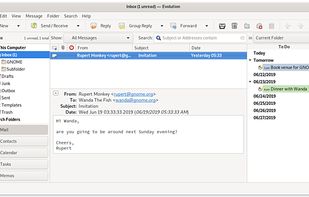
Evolution is a personal information management application that provides integrated mail, calendaring, address book and task list functionality.

Cost / License
- Free
- Open Source (LGPL-2.1)
Application typeApplication types
Platforms
- Linux
- BSD
- Flathub
- S/MIME
- GNOME
- OpenPGP


Features

Evolution News & Activities
Highlights All activities
Recent News
No news, maybe you know any news worth sharing?
Share a News Tip
Recent activities
 Korbs added Evolution as alternative to Convey-Mail
 flectar added Evolution as alternative to Flectar Mail
- SpoonFall Jones liked Evolution
- bulldogs liked Evolution
- smasper liked Evolution





Featured in Lists


DeMicrosoft Your Life
How are you?
In this list I bring you a variety of alternative software to those from Microsoft, and also that these free and open source programs
So enjoy this list!
(I will be updating it every day)


Progress & Management
A list with 568 apps by AmileyaRyver without a description.


Privacy-Respecting Apps and Services (Computers)
Choose freedom and continued democracy by switching away from big tech in your personal digital lives.
Not all apps and services listed will be open source or even free (as in free beer), but they will at the very least be privacy-respecting.
Of course, there will be a few exceptions, simply because they are necessary for some people, like for work.
BUT, THEY ARE NOT NECESSARY FOR YOUR PERSONAL LIFE. Work-life balance is important.
This list will get updated from time to time.
Each section lists my recommendations in order of best (in my opinion) to good enough. Except for the Docs and OS sections, which are listed from easiest for beginners to better for creatives, techies, and professionals. These and the Video Conferencing section, which is listed based on needed for work to good enough for personal use.
Lastly, the Linux operating systems (or distros) are at the end of the list because no matter which you choose, the majority of these apps can be installed on Windows, and can certainly be installed on any of the distros.
What is Evolution?

Evolution information
Developed by
 The GNOME Project
 Licensing
Open Source (LGPL-2.1) and Free product.Rating
Average rating of 3.9Alternatives
77 alternatives listedBadge
Get an embeddable badge for EvolutionSupported Languages


Comments and Reviews
Good integration with Microsoft exchange. Very simple and nice UI. For me it's much better than Thunderbird. Using it for years on Linux (from time to time trying other mail/calendar applications, but always coming back)
Pretty decent, but quite annoying it still can't live in the system tray natively. E.g., an option so minimizing/closing the window hides Evolution in the system tray.
Edit: too many Gnome dependencies.
The features of Evolution include mail, contacts, calendars, memos, and RSS. I would prefer multiple separate apps instead of a single monolithic app. According to AlternativeTo, Evolution runs on Linux, BSD, and GNOME, but it does not run on macOS, web, or iOS.
https://wiki.gnome.org/Apps/Evolution
I've been using it in Linux for years. Better than Thunderbird. Not just e-mail features are good, also Task management, Google accounts integration...
Way better defaults than Thunderbird - doesn't try to download all emails by default, sorts emails in from top to bottom from latest to oldest, doesn't try and open things in its own web browser, doesn't have annoying Mozilla/Google service integration/telemetry.
Evolution has become the top-quality email client on Linux. Compatibility and functionality is excellent, and the message composer is by far the best of all.
Using right now on MX Linux; you'll want to choose distro carefully of course.