KeyCastr Alternatives

KeyCastr is described as 'Lets you easily display your keystrokes while recording screencasts' and is a Screen Casting tool in the video & movies category. There are more than 25 alternatives to KeyCastr for Mac, Windows, Linux and Web-based. The best KeyCastr alternative is Keyviz, which is both free and Open Source. Other great apps like KeyCastr are SHARA, Screenkey, Keyty and YAKD.

Copy a direct link to this comment to your clipboard
Get a badge for your siteKeyCastr alternatives page was last updated

Alternatives list

  1. Mouseposé icon
     5 likes

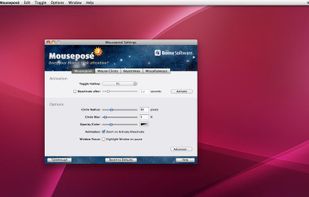
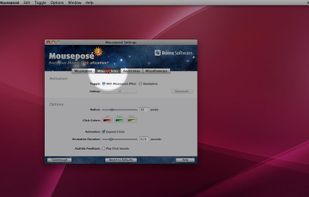
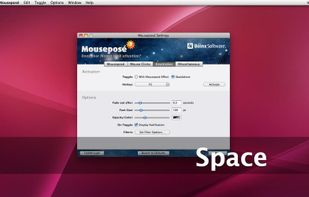
    Mouseposé is the indispensible mouse pointer highlighting tool (aka "virtual laserpointer") for everyone doing demos at tradeshows, presentations and trainings, or those individuals with huge and high resolution displays.

    36 Mouseposé alternatives

    Cost / License

    • Paid
    • Proprietary

    Platforms

    • Mac
     
  2. KeyPosé icon
     3 likes

    A Little utility that implements a global key logger which displays all shortcuts & keystrokes as you type on screen and with a semi-transparent overlay. This makes it very easy to show any shortcuts you use if you for example record a software demo.

    Cost / License

    • Free
    • Proprietary

    Platforms

    • Windows
     
  3. “Keystroke Pro” visualizes single and combined keypresses in an unique and elegant way. It’s the perfect companion for capturing tutorials, ?recording screencasts and performing presentations.

    Cost / License

    • Paid
    • Proprietary

    Application type

    Platforms

    • Mac
     
  4. Display your keystrokes clearly during screen recordings, presentations, and video calls. Fully customizable and built for macOS full-screen and dark mode.

    Cost / License

    • Paid
    • Proprietary

    Application type

    Platforms

    • Mac
     
  5. Visualize icon
     Like

    Visualize allows you to highlight your key presses and mouse clicks right on your desktop! The perfect tool for presentations or video tutorials, Visualize allows you to customize the look so your viewers can follow along with ease.

    Cost / License

    • Paid
    • Proprietary

    Platforms

    • Mac
     
  6. MouseShade  icon
     1 like

    MouseShade is an essential tool for everyone doing presentations or demos. If turned on, it dims the screen and puts a spotlight on the area around the mouse pointer, easily guiding the audiences attention to an area of interest.

    Cost / License

    • Free
    • Proprietary

    Platforms

    • Windows
     
  7. KeyTrails icon
     Like

    KeyTrails helps you present your keyboard input on your screen. Whether you are making a tutorial video, streaming your gaming session, or giving a business presentation, KeyTrails makes your content just a bit catchier.

    Cost / License

    • Paid
    • Proprietary

    Application type

    Platforms

    • Mac
     
  8.  Like

    QiPress is a portable Windows program that displays key presses on the screen. The keyboard input display takes minimal space, and highly customizable.

    Cost / License

    • Freemium
    • Proprietary

    Application type

    Platforms

    • Windows
     
  9. KeyDrawer draws keypresses on the screen of your Mac with a style that matches your Mac's look and feel. It will make your tutorial videos, video streams and presentations look elegant and professional.

    Cost / License

    • Paid
    • Proprietary

    Application type

    Platforms

    • Mac
     
  10. KeyStruck icon
     Like

    A floating glass HUD names every keyboard shortcut you fire — so you don't have to squint at the menu-bar flash to confirm.

    Cost / License

    • Free
    • Proprietary

    Application type

    Platforms

    • Mac
     
You are at page 2 of KeyCastr alternatives