KeyStruck icon
KeyStruck icon

KeyStruck

A floating glass HUD names every keyboard shortcut you fire — so you don't have to squint at the menu-bar flash to confirm.
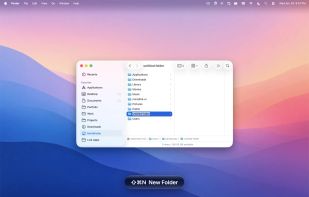
KeyStruck screenshot 1

Cost / License

  • Free
  • Proprietary

Platforms

  • Mac
0likes
0comments
0articles

Features

Properties

  1.  Privacy focused
  2.  Lightweight

Features

  1.  No Tracking
  2.  Ad-free
  3.  No registration required
  4.  Works Offline
  5.  Keystroke Visualization
  6.  Heads-Up Display

KeyStruck News & Activities

Highlights All activities

Recent activities

KeyStruck information

  • Developed by

    Benjamin Dansby
  • Licensing

    Proprietary and Free product.
  • Alternatives

    23 alternatives listed
  • Supported Languages

    • English

AlternativeTo Categories

OS & UtilitiesOffice & Productivity

Popular alternatives

View all
KeyStruck was added to AlternativeTo by Paul on and this page was last updated .
No comments or reviews, maybe you want to be first?

What is KeyStruck?

A floating glass HUD names every keyboard shortcut you fire — so you don't have to squint at the menu-bar flash to confirm. Double-tap Command and KeyStruck shows you every shortcut the active app has bound.

  • Names every shortcut: Hit any keyboard shortcut bound to a menu item — Save, Quit, Reload, anything — and KeyStruck flashes the action's name in a floating capsule. No more "wait, did that fire?"
  • Glass that fits the OS: Real frosted-glass HUD with a specular highlight, inner-curve shadow, and edge fresnel — the way a macOS overlay should look. Auto-flips light/dark for contrast against your UI.
  • Cheat sheet on demand: Double-tap ? and hold the second press for half a second. KeyStruck lists every ?-shortcut the active app has bound, grouped by menu. Add ?, ?, or ^ while holding to filter to that combination. Click any row to fire the action.
  • Reads the action from your menu. Uses the macOS Accessibility API to pick up menu titles from the frontmost app — works in any native app whose menus are AX-exposed.
  • Cheat-sheet rows are clickable. Click any shortcut to fire its menu action without touching the keyboard. KeyStruck doesn't steal focus from the source app — the action lands where you want it.
  • Optional shortcut prefix. Display "?S Save" or just "Save" — your call. Special keys (arrows, F-keys, return, escape) are formatted as you'd expect.
  • Light, dark, or auto. Auto picks the opposite of your system mode, so the capsule always contrasts your UI.
  • Frosted glass or flat fill. Translucent vibrancy by default; switch to a solid capsule with adjustable opacity if you prefer something simpler.
  • Pop animation, sound, position. Optional spring-scale entrance, six built-in macOS sounds, seven screen positions.
  • Stays out of the way. Lives quietly in the menu bar — or hide it entirely. Optional Start at login. Featherweight pure SwiftUI + AppKit; tiny binary, instant launch, no background services.