JuK icon
JuK icon

JuK

Juk is a music player and a music manager. JuK is, well, at its heart, a jukebox. As is typical with many jukebox applications, JuK allows you to edit the tags of your audio files, and manage your collection and playlists. JuK is part of the KDE Multimedia package.
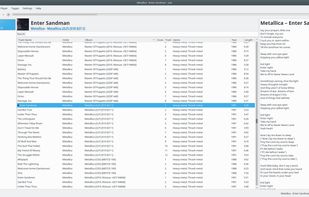
Main

Cost / License

Application type

Platforms

  • Linux
  • Flathub
  • KDE
6likes
0articles
Save

Features

No features, maybe you want to suggest one?

Highlights All activities

JuK News & Activities

Recent activities

  • Saisei icon
    Paul added JuK as alternative to Saisei
  • iSoong icon
    Ayasata added JuK as alternative to iSoong

JuK information

AlternativeTo Category

Audio & Music

Our users have written 1 comments and reviews about JuK, and it has gotten 6 likes

JuK was added to AlternativeTo by stop2move on and this page was last updated . JuK is sometimes referred to as JuK Media Player, KDE JuK, Juk. 

Comments and Reviews

   
Guest
0

best music player it out does windows media player by far

Ak
Replying to @Guest

Where did you find Windows installer? All I could find on the website was linux install via their appstore.

Review from a new or low-activity account — shown here, but not counted in the app rating.

Featured in Lists

Music

A list with 137 apps by christineconnor without a description.
By christineconnor137 appsUpdated

Official Links

Install from the command line

  • flatpak install flathub org.kde.juk

Be careful what you paste into a terminal. Check what a command installs before running it.

What is JuK?

Juk is a music player and a music manager. JuK is, well, at its heart, a jukebox. As is typical with many jukebox applications, JuK allows you to edit the tags of your audio files, and manage your collection and playlists. JuK is part of the KDE Multimedia package. JuK packages are distributed with basically all current Linux and many Unix distributions.

Features:

  • Collection list and multiple user defined playlists
  • Ability to scan directories to automatically import playlists and music files on start up
  • Dynamic Search Playlists that are automatically updated as fields in the collection change.
  • A Tree View mode where playlists are automatically generated for sets of albums, artists and genres.
  • Playlist history to indicate which files have been played and when.
  • Inline search for filtering the list of visible items.
  • The ability to guess tag information from the file name or using MusicBrainz online lookup.
  • File renamer that can rename files based on the tag content.
  • ID3v1, ID3v2 and Ogg Vorbis tag reading and editing support (via TagLib).

