JuppIt icon
JuppIt icon

JuppIt

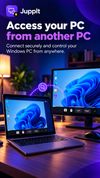
Connects an Android phone to a Windows PC for direct file transfer and remote desktop control over the local network or internet, without a cloud intermediary.
JuppIt screenshot 1
JuppIt screenshot 2
+6
JuppIt screenshot 3

Cost / License

  • Freemium (Subscription)
  • Proprietary

Application type

Platforms

  • Windows
  • Android
  • iPhone
5likes
0articles
Save

Features

JuppIt News & Activities

Highlights All activities

Recent activities

  • JuppItStudios updated JuppIt
  • Juan Anderson liked JuppIt
  • Placide Remote Help icon
    DcXor added JuppIt as alternative to Placide Remote Help
  • FSRdp icon
    Robert Fischbacher added JuppIt as alternative to FSRdp
  • Clipcroft icon
    Víctor Camacho added JuppIt as alternative to Clipcroft
  • JuppItStudios updated JuppIt
  • James OLoughlin liked JuppIt
  • Jay liked JuppIt
  • dimanesterchuk liked JuppIt
  • JuppItStudios liked JuppIt

JuppIt information

  • Developed by

    JuppIt Studios
  • Licensing

    Proprietary and Freemium product.
  • Pricing

    Subscription + free version with limited functionality.
  • Alternatives

    19 alternatives listed
  • Badge

    Get an embeddable badge for JuppIt
  • Supported Languages

    • English

AlternativeTo Categories

Remote Work & Education, File Sharing, Network & Admin, OS & Utilities

Apple AppStore

  •   Updated 
  •   0 avg rating
View in AppStore
JuppIt was added to AlternativeTo by JuppItStudios on and this page was last updated .

No comments or reviews, maybe you want to be first?

Official Links

What is JuppIt?

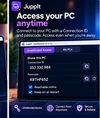
JuppIt is a remote desktop and file transfer app connecting Android devices to Windows PCs. Photos, videos, ZIPs and PDFs transfer directly between devices over the local network — no cloud storage or account required on LAN.

Beyond transfer, it streams the desktop live with audio, turns the phone into a touch trackpad with keyboard input, and browses PC files from the phone. The PC can be locked, shut down, restarted, or unlocked remotely; unlock uses the phone's biometric prompt, and the PC password is end-to-end encrypted rather than stored on the host.

The Windows host runs in the system tray; pairing is via QR code or a 6-digit code. Free on local networks, with internet access supported.