Free iMovie Alternatives for Mac

There are many alternatives to iMovie for Mac if you are looking for a replacement. The best free Mac alternative is Kdenlive, which is also Open Source. If that doesn't suit you, our users have ranked more than 100 alternatives to iMovie and many of them are free and available for Mac so hopefully you can find a suitable replacement. Other interesting free Mac alternatives to iMovie are OpenShot, Shotcut, DaVinci Resolve and Avidemux.

Copy a direct link to this comment to your clipboard
iMovie alternatives page was last updated

Alternatives list

  1. Kdenlive icon
     892 likes

    Free, open-source multi-track video editor supporting multiple platforms and formats. Features include chroma key, color grading, 4K rendering, keyframe animation, and customizable workspaces. Offers privacy focus, offline use, and hardware acceleration without ads or registration.

    122 Kdenlive alternatives

    Cost / License

    Application type

    Platforms

    • Mac
    • Windows
    • Linux
    • BSD
    • KDE Plasma
    • Snapcraft
    • Flathub
    • Flatpak
     
  2. OpenShot icon
     579 likes

    Open-source, cross-platform video editor with unlimited tracks, simple interface, 3D animated titles, video and audio effects, waveform visualization, trim tools, keyframe animations, drag and drop import, multi-language support, and no export watermarks.

    138 OpenShot alternatives

    Cost / License

    • Free
    • Open Source

    Application type

    Platforms

    • Mac
    • Windows
    • Linux
    • Flathub
    • Flatpak
     
    |
    2
    OpenShot vs iMovie Comments
    s3ptk1
    Positive
    3

    Familiar interface and full-featured app that can replace imovie for users that don't have access on non-mac platforms

    ndlinn
    Positive
    0

    Great alternative with one key distinction: that the Windows version is NOT in any way comparable to the Linux version! You'll need to find another alternative for Windows.

    • OpenShot is Free and Open SourceiMovie is Free and Proprietary
    • OpenShot is Lightweight and Privacy focusediMovie is not according to our users
  3. Shotcut icon
     477 likes

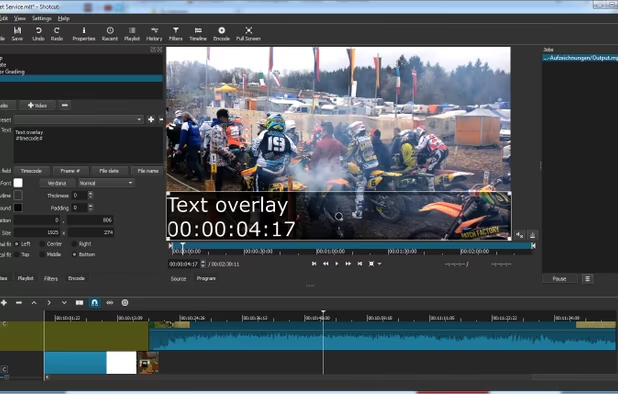
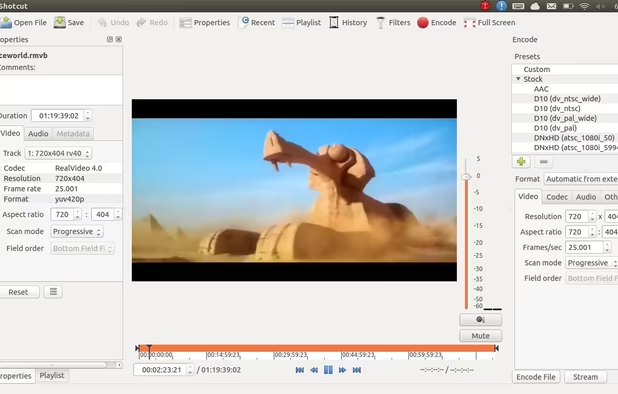
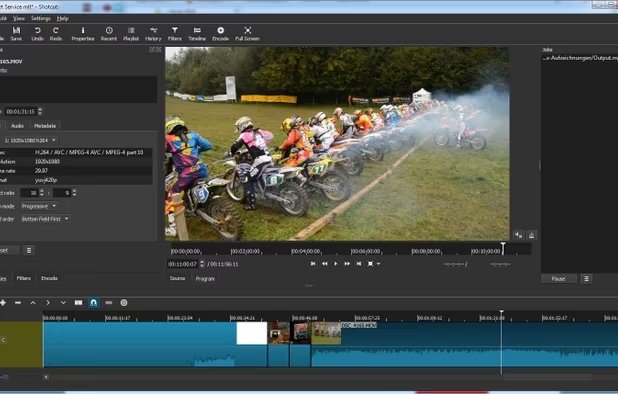
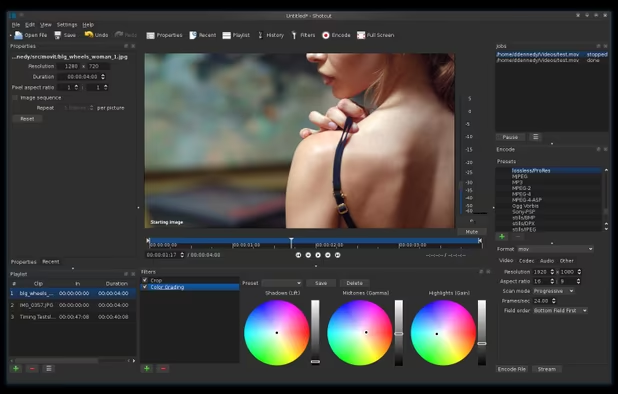
    Free and open-source, Shotcut is a cross-platform video editor supporting myriad formats with native editing, multi-format timelines, and precise seeking. It offers versatile resolution supports, capturing options up to 4k, and extensive platform integration through various capture and monitoring services.

    135 Shotcut alternatives

    Cost / License

    Application type

    Platforms

    • Mac
    • Windows
    • Linux
    • AppImageHub
    • Snapcraft
    • Flathub
    • PortableApps.com
     
  4. DaVinci Resolve icon
     452 likes

    Combines advanced video editing and color correction with integrated visual effects, motion graphics, and audio post-production in a user-friendly interface used by professionals, supporting 4K content, node-based control, plugins, and non-destructive editing, all within one app.

    125 DaVinci Resolve alternatives

    Cost / License

    • Freemium
    • Proprietary

    Application type

    Platforms

    • Mac
    • Windows
    • Linux
    • iPad
     
    |
    1
    DaVinci Resolve vs iMovie Comments
    Guest
    Positive
    -1

    Intuitive..has slightly better offerings for transitions etc.

    Review by a new / low-activity user.
    • DaVinci Resolve is Freemium and ProprietaryiMovie is Free and Proprietary
  5. Avidemux icon
     656 likes

    Linear video editor supporting basic cutting, filtering, encoding, batch scripting, and many formats; ideal for single-file edits, trimming, re-encoding, and simple cleanup but not for multi-track or montage projects requiring nonlinear editing capabilities.

    159 Avidemux alternatives

    Cost / License

    • Free
    • Open Source

    Application type

    Platforms

    • Mac
    • Windows
    • Linux
    • BSD
    • PortableApps.com
     
    |
    4
    Avidemux vs iMovie Comments
    Guest
    Negative
    6

    Avidemux is superb as a quick cut and convert-tool, but it is not a full fledged video-editor

    Review by a new / low-activity user.
    Guest
    Positive
    3

    Simple for cutting existing movies. Save/export is extremely fast.

    Review by a new / low-activity user.
    Guest
    Negative
    0

    Avidemux is not simple to use

    Review by a new / low-activity user.
    3 of 4 comments
    • Avidemux is Free and Open SourceiMovie is Free and Proprietary
    • Avidemux is LightweightiMovie is not according to our users
  6. CapCut icon
     70 likes

    This free video editing app offers features like cutting, speed adjustments, advanced filters, chroma key, and a vast music library. Enjoy non-destructive editing, keyframe animation, transitions, and 4K support across multiple devices without ads or registration.

    176 CapCut alternatives

    Cost / License

    • Freemium
    • Proprietary

    Application type

    Platforms

    • Mac
    • Windows
    • Online
    • Android
    • iPhone
    • Android Tablet
    • iPad
     
  7. Camtasia icon
     235 likes

    This all-in-one solution offers screen and webcam recording, video editing, and chroma key features, producing stunning HD-quality content easily shareable on platforms like YouTube and Screencast.com. Designed for training, presentations, and more, it supports H.264 format and compact file sizes.

    287 Camtasia alternatives

    Cost / License

    • Freemium
    • Proprietary

    Platforms

    • Mac
    • Windows
    • Online
     
  8. Lightworks icon
     168 likes

    Lightworks is an editing powerhouse, delivering unparalleled speed and flexibility, fully integrated with the other members of the Complete Collaboration family.

    Cost / License

    • Freemium
    • Proprietary

    Application type

    Platforms

    • Mac
    • Windows
    • Linux
     
  9. OpenCut icon
     16 likes

    The open source video editor that gets the job done. Simple, powerful, and works on any platform.

    63 OpenCut alternatives

    Cost / License

    • Free
    • Open Source (MIT)

    Application type

    Platforms

    • Mac
    • Windows
    • Linux
    • Docker
    • Online
    • Self-Hosted
     
  10. Easy video editor designed for beginners and content creators, featuring a drag-and-drop timeline, 4K/8K support, built-in effects, transitions, titles, AI-driven tools for background removal, screen recording, Instant Mode templates, stabilization, and direct online sharing.

    157 Wondershare Filmora alternatives

    Cost / License

    • Freemium
    • Proprietary

    Application type

    Platforms

    • Mac
    • Windows
    • Android
    • iPhone
    • Android Tablet
    • iPad
     
    |
    2
    Wondershare Filmora vs iMovie Comments
    Guest
    Negative
    7

    I feel it doesn't have the same level of power as the others, and is falsely advertising itself. To get any functionality with it, you have to spend money.

    Review by a new / low-activity user.
    Guest
    Positive
    -5

    This is very good because it is free and have rewind easy transition and has way more options than any other apps listed

    Review by a new / low-activity user.
    • Wondershare Filmora is Freemium and ProprietaryiMovie is Free and Proprietary
  11. Seamlessly edit videos with motion effects, unlimited layers, FFmpeg fast rendering, cross-platform support, and multilingual functionality for creative control.

    Cost / License

    • Free
    • Open Source (MIT)

    Application type

    Platforms

    • Mac
     
12 of 30 iMovie alternatives