




Hush: Screen Share Focus
1 like
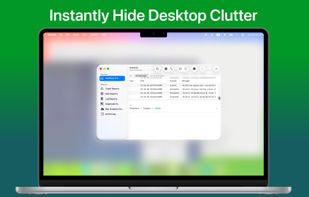
Distraction-free work in one click. Blur everything except what matters - perfect for deep focus sessions and screen sharing. Native, lightweight, no subscription.

Cost / License
- Pay once
- Proprietary
Platforms
- Mac


Features
Hush: Screen Share Focus News & Activities
Highlights All activities
Recent activities
 krust702 added Hush: Screen Share Focus as alternative to HazeOver
 Egor Griva added Hush: Screen Share Focus as alternative to ScreenVeil
 capyapp added Hush: Screen Share Focus as alternative to Owl
 krust702 added Hush: Screen Share Focus as alternative to Monocle for MacOS
- krust702 updated Hush: Screen Share Focus
Good app to blur desctop from other apps exept active. Have ability to activate automatically when screen sharing starts!
- krust702 added Dark Mode as a feature to Hush: Screen Share Focus
- krust702 liked Hush: Screen Share Focus
 Paul added Hush: Screen Share Focus as alternative to Mikogo, Screenbites, Zen Mode, Pliim and 3 more
- Paul added Hush: Screen Share Focus


Hush: Screen Share Focus information
Developed by
 Poteam
 Licensing
Proprietary and Commercial product.Pricing
One time purchase (perpetual license) that costs $5.Alternatives
11 alternatives listedBadge
Get an embeddable badge for Hush: Screen Share FocusSupported Languages

Comments and Reviews
Good app to blur desctop from other apps exept active. Have ability to activate automatically when screen sharing starts!