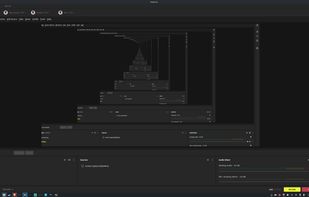
HopCast is a free, open-source live-streaming and recording studio for Linux.
It is built from the open-source code of PRISM Live Studio (GPL-2.0) and OBS Studio (GPL-2.0). HopCast keeps PRISM's studio layout and adds a Linux port. It removes accounts, online services, platform advertising and PRISM branding.
HopCast is an independent project. It is not affiliated with, endorsed by or supported by NAVER Corp., PRISM Live Studio or the OBS Project.
What makes it different
No account. It opens straight into the studio.
No company servers. HopCast never contacts NAVER/PRISM services, and has no telemetry or update pings.
No platform favoritism. It streams to any RTMP, SRT or RIST server you enter, with no built-in buttons for particular platforms.
Several servers at once. Switch on more than one channel and Go Live sends to all of them. The picture is encoded once, with no relay.
Your stream keys stay yours. They are stored encrypted (AES-256-GCM), inside HopCast's own storage on your computer, with no account and no folder to manage.
Your settings stay put. HopCast snapshots its settings, profiles, scenes and channels in the background (and once before the first run of each new version), puts back any settings file that goes missing or corrupt, and has Tools > Back up settings now / Restore settings from a backup. Snapshots live in ~/.local/share/hopcast/settings-backups (owner-only; they include the key file, since saved stream keys can't be read without it).
Connects on its own. If the first connection fails and you haven't chosen a network setting, HopCast retries over IPv4 and through each network interface by itself, so there's no Bind to IP to hunt for.
Linux first. Works on X11 and Wayland, and ships as a single AppImage.
The golden rule: no nudges
HopCast never recommends, ranks or links to a platform, server, community or service. No quick links, no "join us", no "stream here instead". The developer sees quick links as a quiet kind of peer pressure: a shortcut that pulls people back into online spaces they may have decided to leave, simply because the link is there. HopCast leaves that decision to you. You type your own server address, and nothing in the app suggests anywhere else.
The same goes for numbers about how you're doing: HopCast shows no viewer counts, follower numbers, rankings or comparisons. They are easy to turn into a quiet pressure of their own ("my numbers are low, so I'm not doing well enough"), and the app has no business producing that feeling.
This is the standard for every Gamehopper app, and for contributions too: changes that add promotional links, platform shortcuts, community or social buttons, or recommendation prompts won't be merged. Free of outside influence means you decide where you are and why.




 Game Hopper added Hopcast as alternative to Prism Live Studio, OBS Studio, Streamlabs Desktop and Xbox Game Bar

 Gamehopper


No comments or reviews, maybe you want to be first?