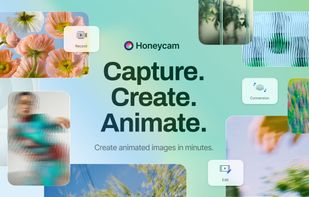
Honeycam is a Windows application for capturing your screen and creating animated GIF, WebP, APNG, and WebM files. It can record any area of your screen or convert existing video files into animations, providing a simple workflow for creating tutorials, demonstrations, gameplay clips, bug reports, and other visual content.
Capture a selected region, an application window, or your desktop, then save the recording as an animated image or video. Honeycam supports GIF, animated WebP, APNG, and WebM output, allowing you to choose the format that best fits your intended use while balancing image quality and file size.
The built-in editor lets you modify animations frame by frame without requiring additional software. You can remove unwanted frames, adjust frame duration, change playback speed, crop, resize, rotate, flip, reverse animations, and apply image optimization to reduce file size while preserving visual quality. Text, captions, stickers, and image overlays can also be added to improve clarity and presentation.
Honeycam also works as a video-to-animation converter. Import a video file, select the section you want to keep, edit the frames if needed, and export the result as an animated GIF, WebP, APNG, or WebM file. This makes it easy to create short animations from screen recordings, presentations, gameplay videos, or other video sources.
The application is designed to be lightweight and responsive, with hardware-accelerated processing that speeds up encoding and export on supported systems. Its straightforward interface makes it easy to start recording and editing without the complexity of a full-featured video editor.
Honeycam is suitable for creating software tutorials, instructional guides, feature demonstrations, bug reports, social media animations, presentations, and educational content. Whether you need to record a quick screen action or produce a polished animated image, Honeycam provides a fast and efficient way to create, edit, optimize, and export animations on Windows.






 Bandisoft


Comments and Reviews
If you are willing to spend money on programs that create animated images, this program is the best option. This program has excellent recording quality and many editing functions. It also supports various formats such as WebP, WebM, AIVF, MP4, and APNG. This program supports iPhone-compatible WebP, so unlike other GIF programs, it can create a well-moving WebP on the iPhone's trash Safari. They run a forum to respond quickly to questions or requirements.
Just one flaw: Not Free